Emotion Based Effect
Create a live camera experience that responds to users based on their facial expressions. Users see themselves on a digital screen while AI reads three expressions, happy, neutral and sad, then automatically displays different branded visuals around their heads. These visuals can be images, videos, 3D models or animations customised to the campaign. The experience can be designed for a single user or multiple users at the same time.
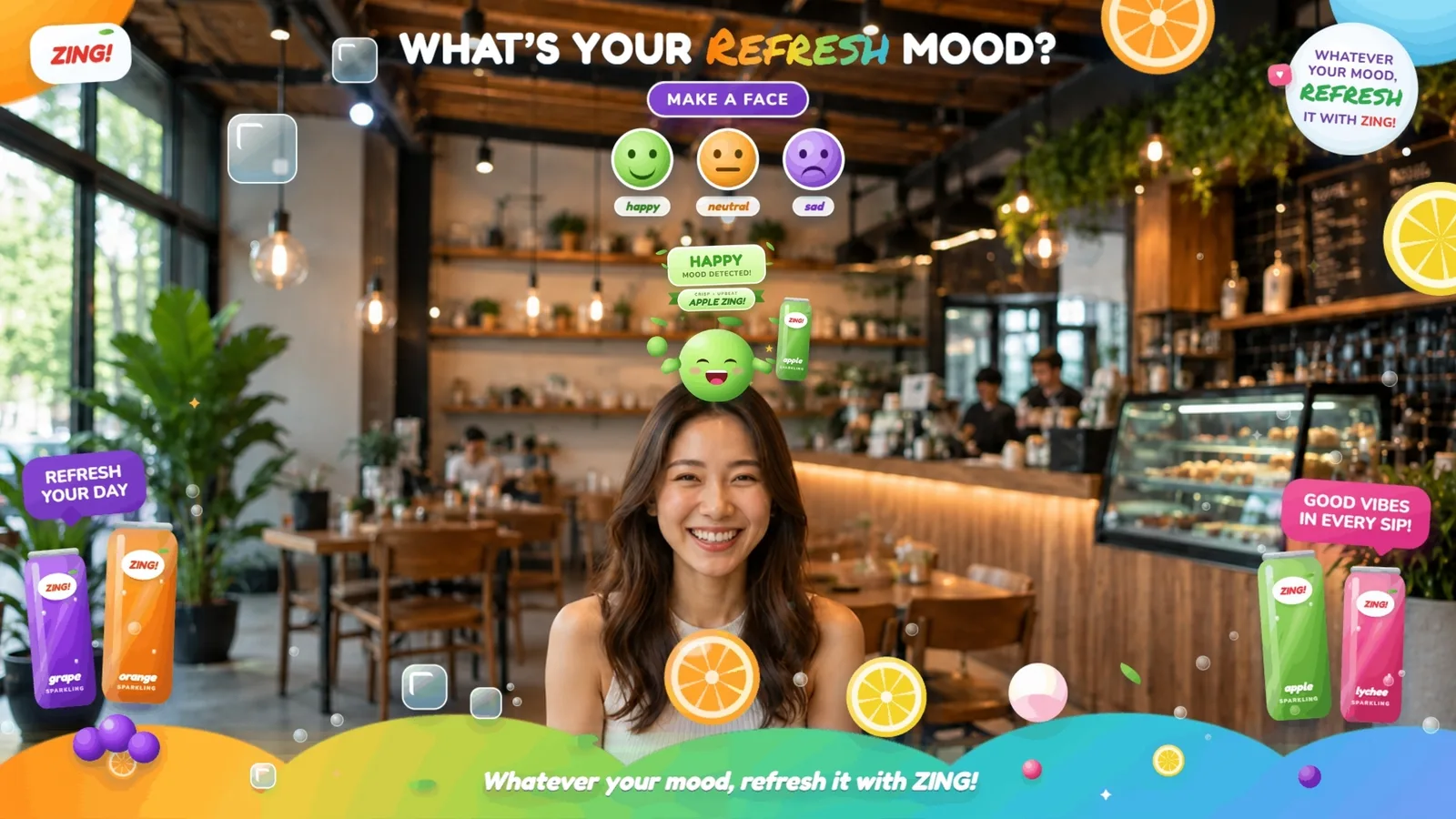
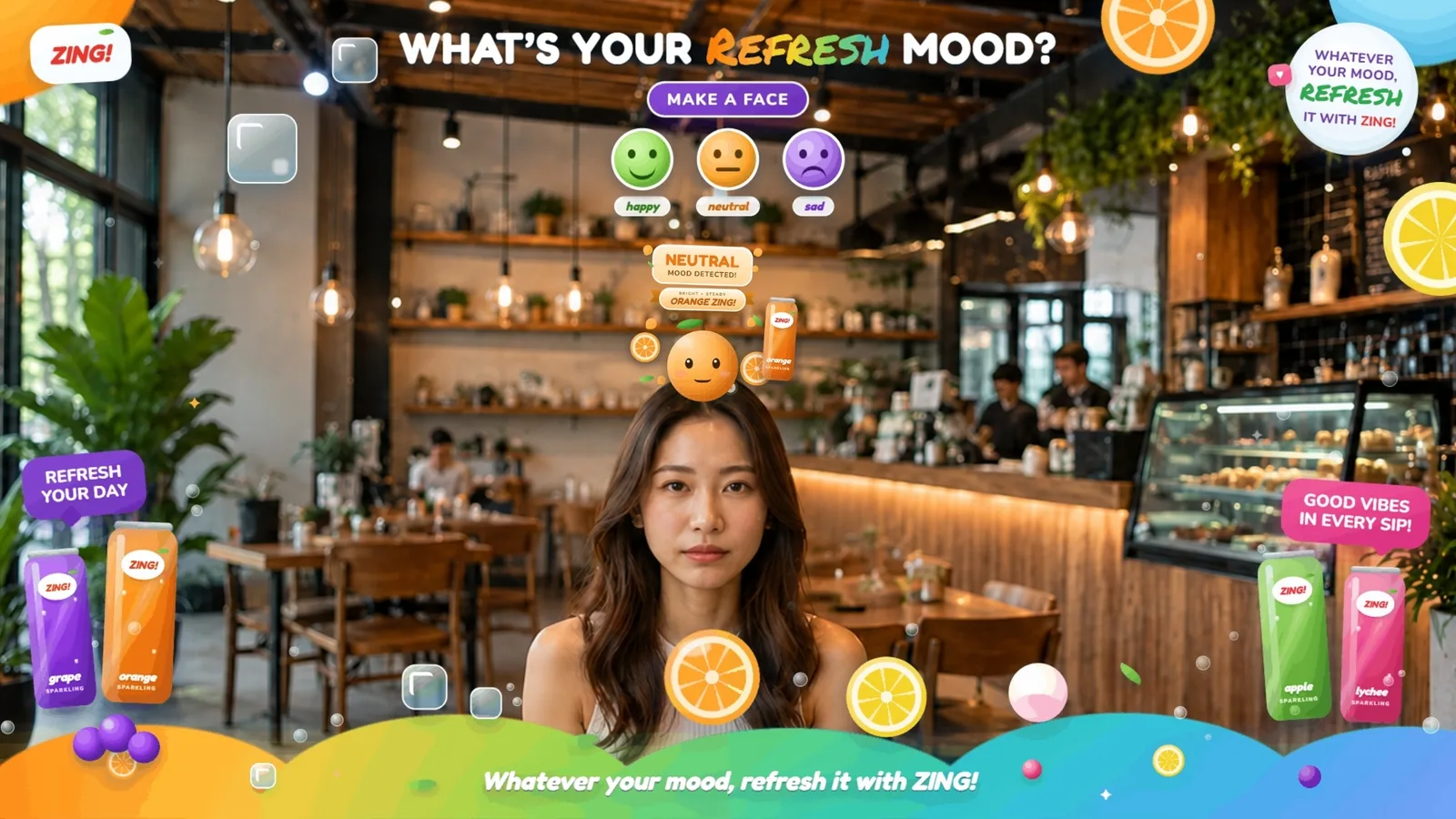
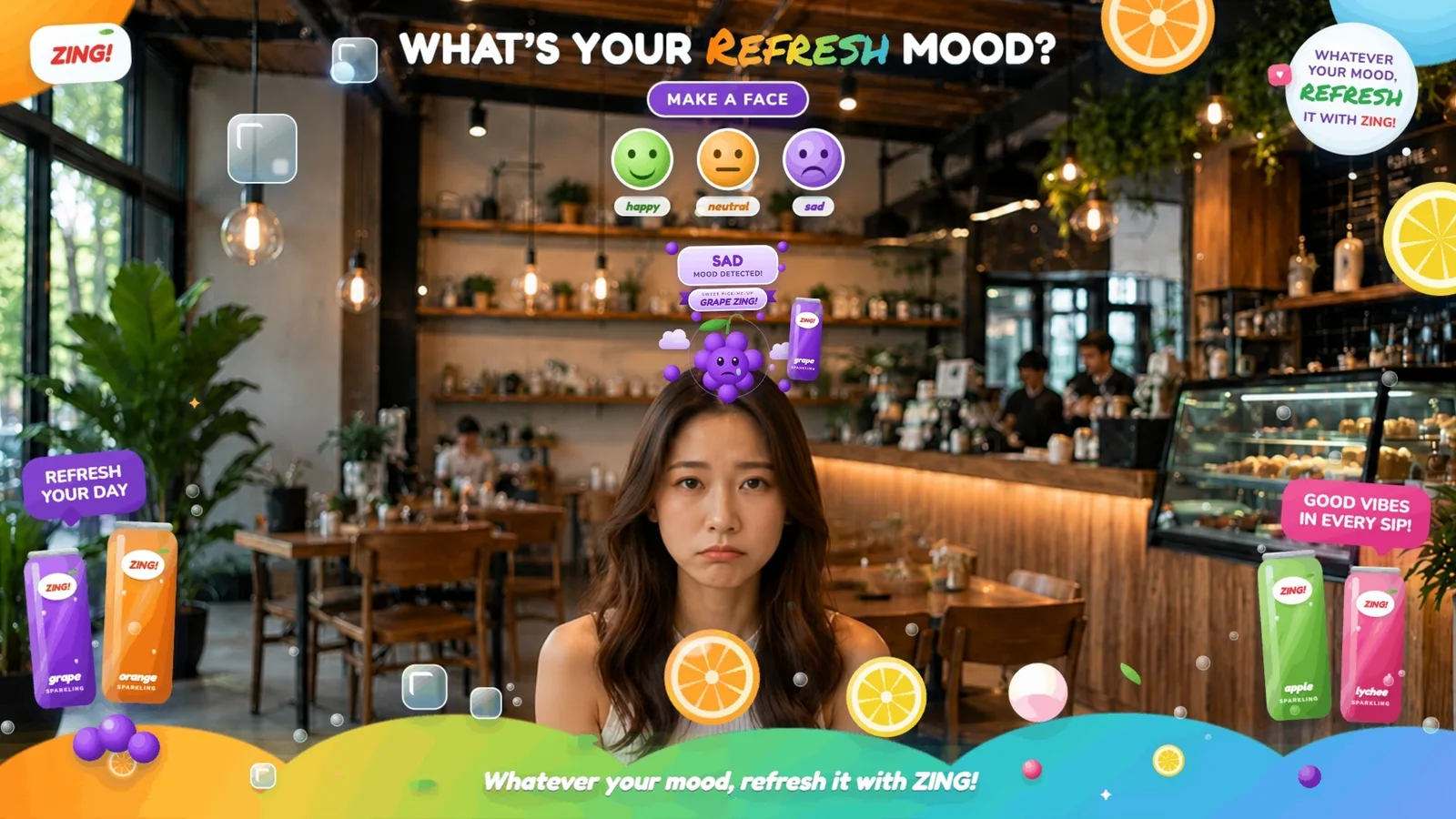
How the Emotion Based Effect Works
Come Into View
One or multiple users stand or walk in front of the digital screen and see themselves through the live camera view.
Detect the Expression
The experience reads each user’s facial expression as one of three, happy, neutral or sad.
Trigger the Branded Visual
A different branded visual appears around each user’s head based on the expression detected, such as an image, video, 3D model or animation.
Continue the Journey
After a delay you set, or with a button, users move on to the next campaign step, such as a message, game, registration or reward.
The Expressions It Detects
Each expression triggers its own branded visual, so the screen responds differently to every user.
Happy
A smile triggers an upbeat visual, message or product match built for the campaign.
Neutral
A neutral face still gets a response, so nobody standing in view is left out.
Sad
A downcast expression can trigger a pick-me-up message, offer or product suggestion.
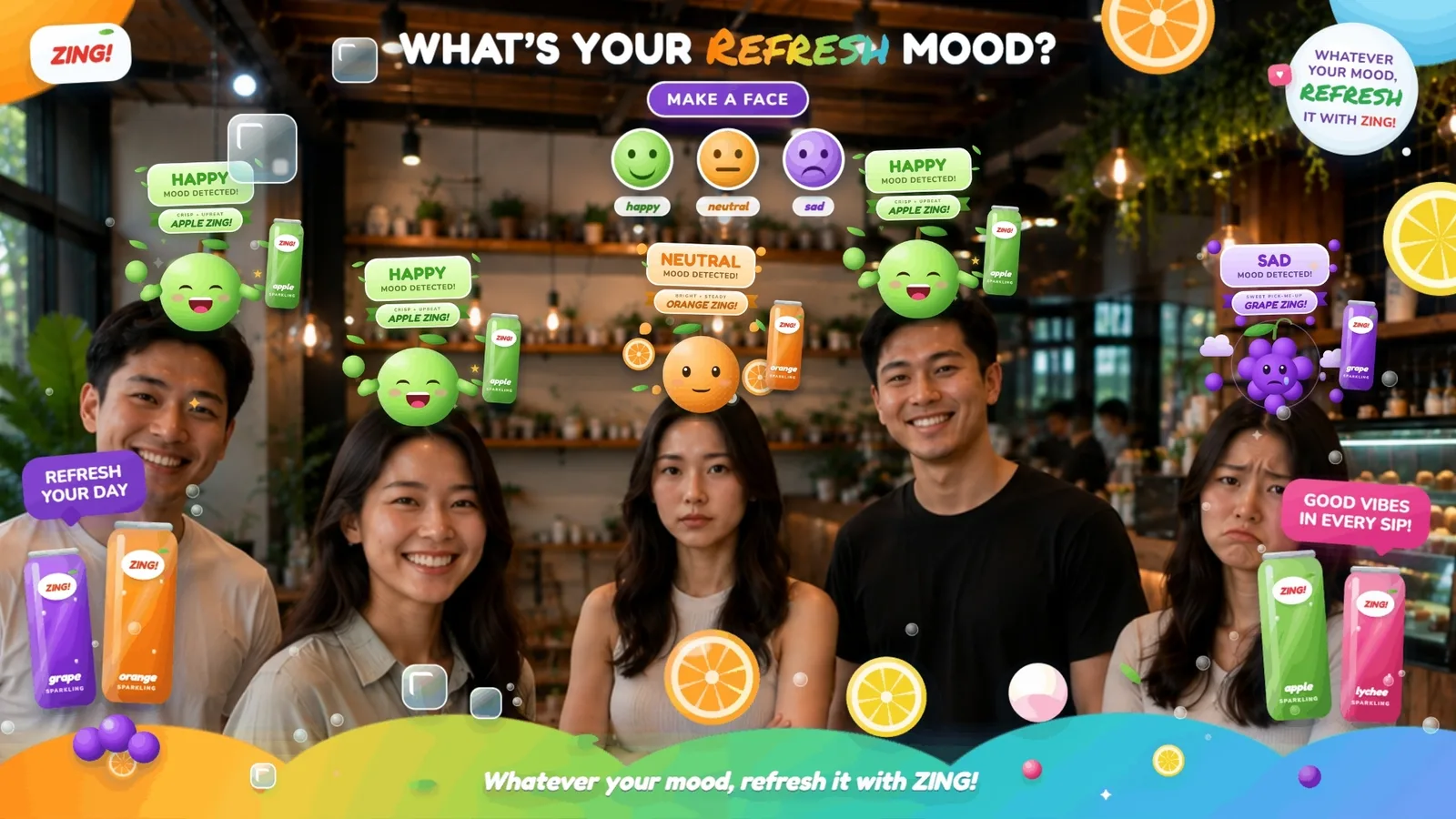
Single or Multi-Person Experience
What You Can Create
What You Can Customise
What the Emotion Based Effect Can Do for Your Campaign
Create Personalised Interactions
Show different branded visuals or content based on each user’s expression instead of giving everyone the same experience.
Encourage Users to Interact
Give users a reason to smile, change their expression and experiment with how the screen responds.
Interact Without Touching
Users change what appears on screen with their expressions alone, so there is nothing to tap.
Bring Products Into the Experience
Connect different expressions to products, flavours, characters or campaign recommendations.
Create an Attention Grabbing Visual
Responsive branded visuals appearing around one or multiple users can turn a digital screen into a live attraction for people nearby.
Continue the Campaign Journey
Move users on from the effect to a message, game, registration or reward as the next campaign step.
Where Brands Use It
Gamified Experiences
Open a game journey with the effect, then move users on to a marketing game or luck game as the next step.
Product Recommendations
Match different expressions to products, flavours or variants to create a playful product discovery experience.
Events
Create a live responsive experience for individuals or groups that encourages attendees to interact with the screen.
Exhibitions
Use expression based visuals to attract visitors and introduce campaign content or booth activities.
Shopping Malls
Create large format responsive displays where multiple passing shoppers can see different branded effects appearing around them.
Retail Stores
Connect expressions to products, recommendations, offers or promotional messages.
Product Launches
Let users discover different products, features or campaign content based on their expression.
Frequently Asked Questions
It is an AI enabled camera experience that reads three facial expressions, happy, neutral and sad, and responds with different branded visuals around each user’s head.
The experience can display branded images, videos, 3D models or animations based on the expression detected.
Three, happy, neutral and sad. A surprised face counts as neutral, and an angry, fearful or disgusted face counts as sad.
Yes. The experience can be designed for a single person or multiple people within the camera view, with different visuals responding to each person’s detected expression.
No. The experience can automatically begin when users enter the camera view.
No. A touchscreen is not required for the expression based interaction. Touch can be added if another campaign step requires it.
Each expression shows its own branded visuals, and in single-person mode its own page for a message or product recommendation.
Not on its own, because the effect keeps no score and does not check for a target expression. Follow it with a marketing game or luck game step to add play.
Yes. The experience can continue into product content, gamification, registration, rewards or another campaign step.
Create Experiences That Respond to Expression
Fill each expression with your own branded visuals and turn facial reactions into interactive campaign experiences with qiksense.