Image Tracking
Turn campaign images, visuals or packaging art into interactive triggers. Users find a configured picture and scan it with their phone camera, and once it is recognised, your content appears on it and the journey can move on to a game or reward. Use it to create discovery challenges that connect physical campaign touchpoints with digital experiences.

How the Image Tracking Works
Find the Target
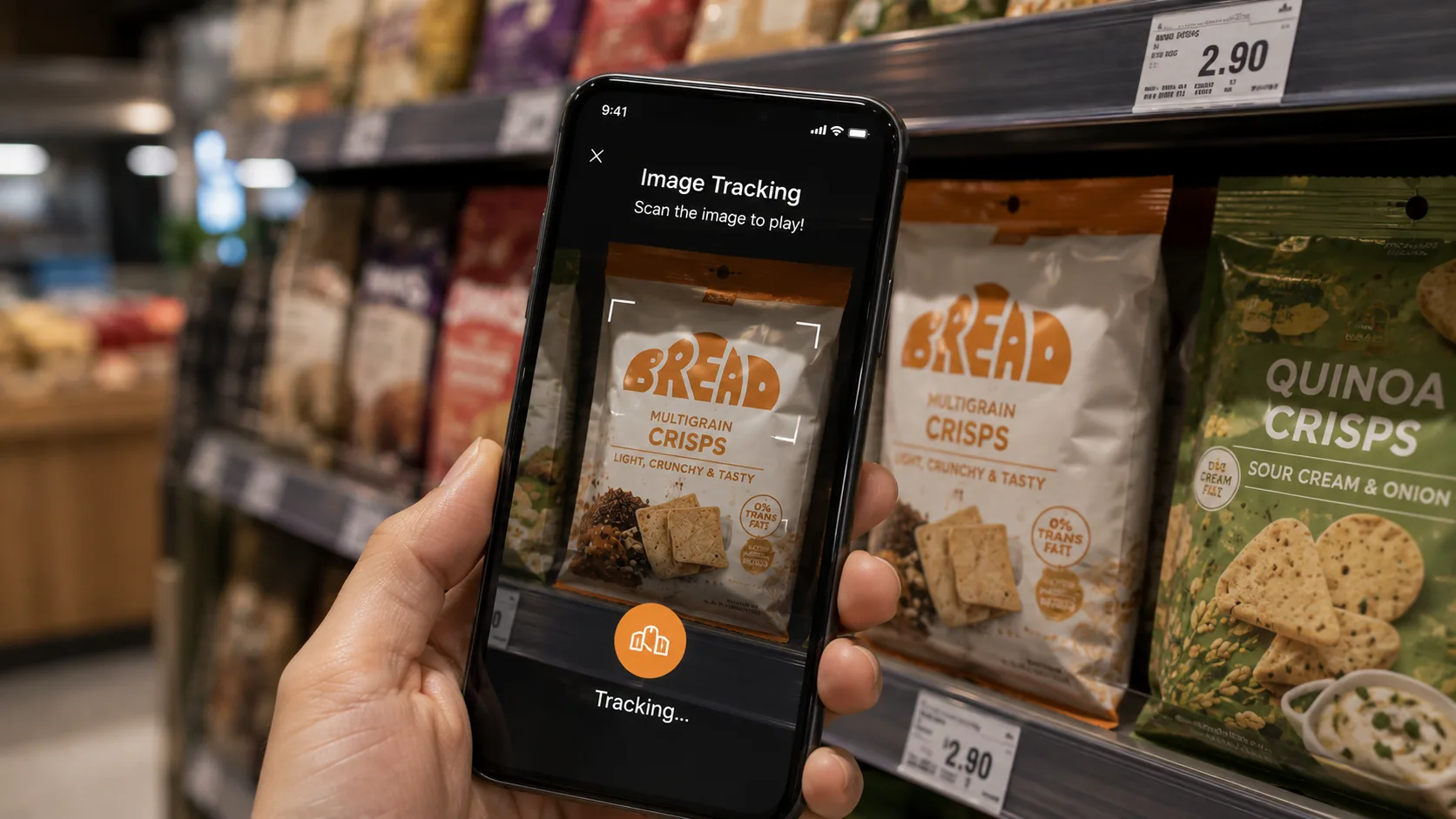
Users are prompted to look for a specific campaign image, visual or packaging art within the activation space.
Scan the Target
Users point their phone or tablet camera at the target until it is recognised.
Recognise and Trigger
Once the target is recognised, your images, videos or 3D models appear on it and move with it.
Continue the Journey
Users can reveal content, play a game, unlock a reward, discover more information or continue searching for another target.
What You Can Create
What You Can Customise
What the Image Tracking Can Do for Your Campaign
Drive Footfall to Key Locations
Use scan targets to direct users towards specific booths, stores, product displays or campaign zones you want them to visit.
Encourage Exploration
Turn the campaign space into a discovery journey that motivates users to move around, search for targets and engage with more touchpoints.
Increase Dwell Time
Give users more reasons to stay within the activation, store or event space as they look for and scan different targets.
Add Gamification to Discovery
Turn finding and scanning into part of the challenge, then unlock a game, reward or next campaign step once the target is found.
Connect Physical and Digital Touchpoints
Turn posters, packaging, displays and other physical campaign assets into entry points for interactive digital content.
Support Reward and Redemption Journeys
Use successful scans as a condition for unlocking prizes, vouchers, promotional codes or other rewards.
Where Brands Use It
Gamified Experiences
Make finding the target part of the game. Users can search for a specific campaign image, scan it successfully and then unlock the game or next challenge.
Reward Hunts
Hide campaign targets around a venue and require users to find and scan them before unlocking a prize or reward.
Product Discovery
Use packaging, product displays or campaign artwork as scanning targets that reveal additional product information or interactive content.
Events
Encourage attendees to explore different parts of an event by searching for and scanning campaign targets.
Exhibitions
Place targets across a booth or exhibition space to unlock different information, experiences or rewards.
Shopping Malls
Create discovery trails that encourage shoppers to move between different campaign locations or participating stores.
Retail Stores
Turn product packaging, posters or displays into triggers for games, offers, content or rewards.
Product Launches
Let users scan the new product, packaging or campaign visual to reveal branded content or unlock an interactive experience.
Frequently Asked Questions
Image Tracking uses a phone camera to recognise a configured campaign image, visual or packaging art. Once the target is recognised, your content appears on it, and the journey can move on to another campaign interaction.
Any picture uploaded as a PNG or JPG, such as campaign artwork, posters, packaging art or product visuals, printed or shown on a screen.
Your images, videos or 3D models appear on the target and follow it. After a set delay or a tap on Next, the journey moves on to a page, game, reward or another campaign step.
Yes. The triggered response can include branded images, videos, 3D models, animations, messages or other campaign content.
Yes. One scan step can hold several target pictures, each showing its own content.
Yes. Chain one scan step per target, so users must find each one before the challenge is complete or the reward unlocks.
Yes. Finding and scanning can become part of the game mechanic, or successful detection can be used to unlock a marketing game, luck game or another challenge.
Yes. A successful scan can reveal a reward directly or unlock another experience where users can win or redeem a reward.
No. The experience can run through a web browser with camera access.
Turn Physical Targets Into Interactive Experiences
Configure what users need to find, customise what happens when it is detected and connect scanning to content, games and rewards with qiksense.