Karaoke
A sing-along experience that records every performance. Guests sing along to a lyric video on screen while the camera and microphone record them, then watch their video and download it. There is no score and no time limit, so nobody loses. Shown here as Jingle All the Way, a Christmas sing-along to Jingle Bells, it also works with your own songs and lyric videos, on a booth screen or on a guest’s own phone or laptop.
How Karaoke Works
Start the Song
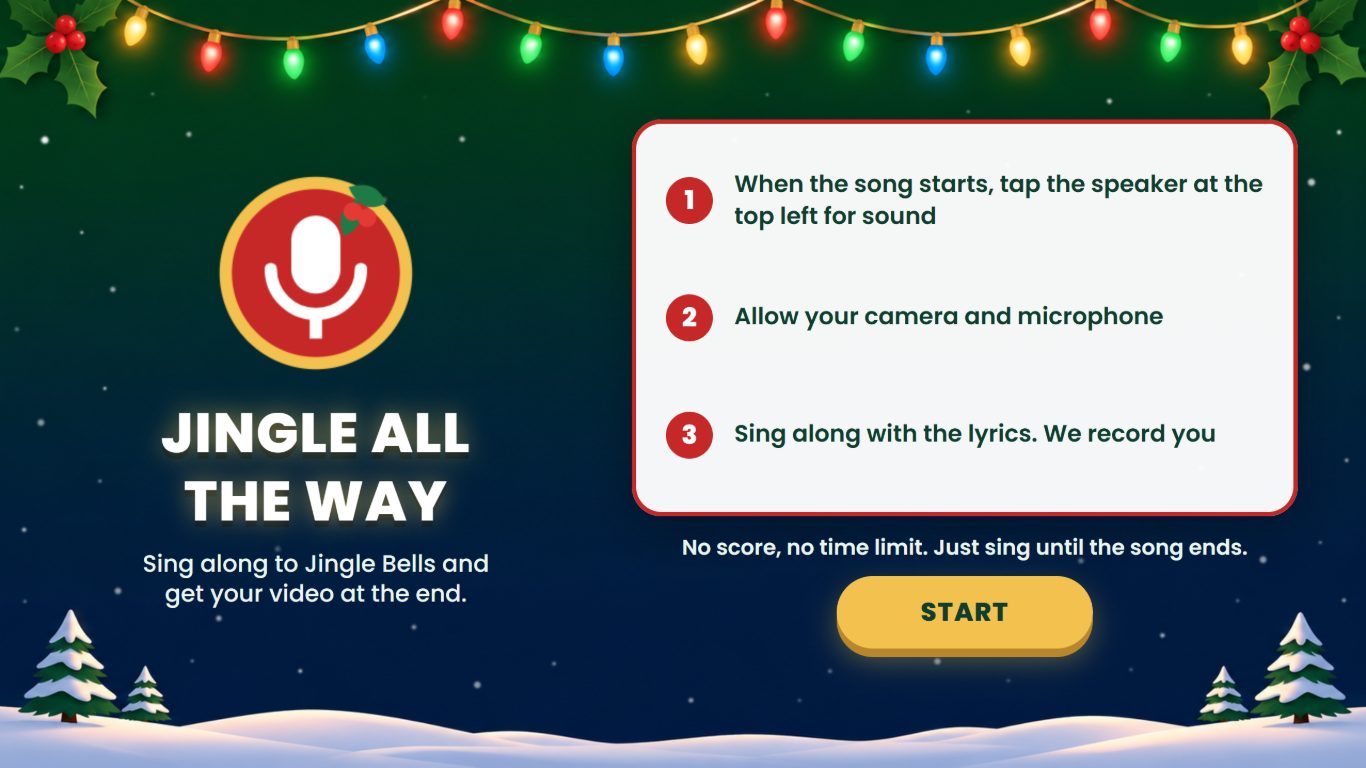
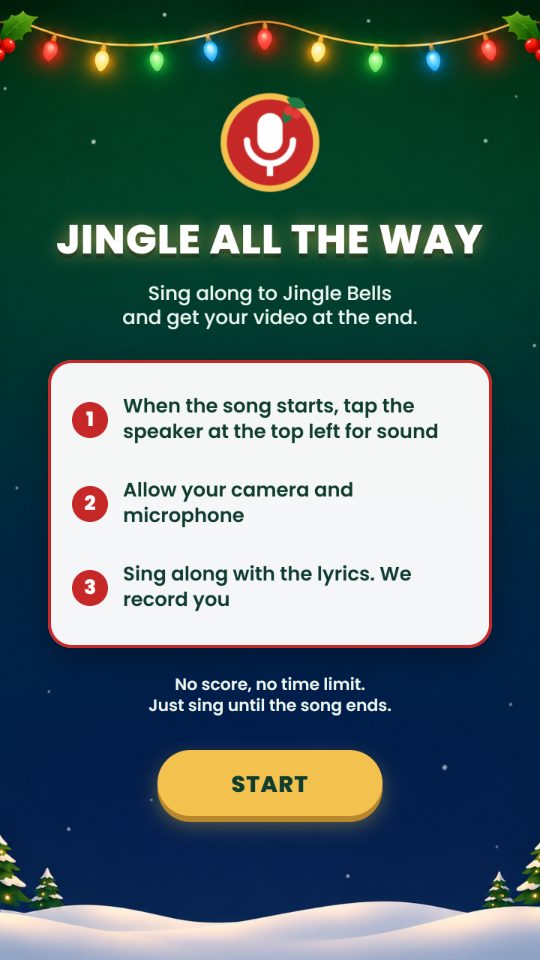
In the demo, users read the three steps on the start screen, tap Start and allow camera and microphone access. The song and the recording then start by themselves.
Sing Along
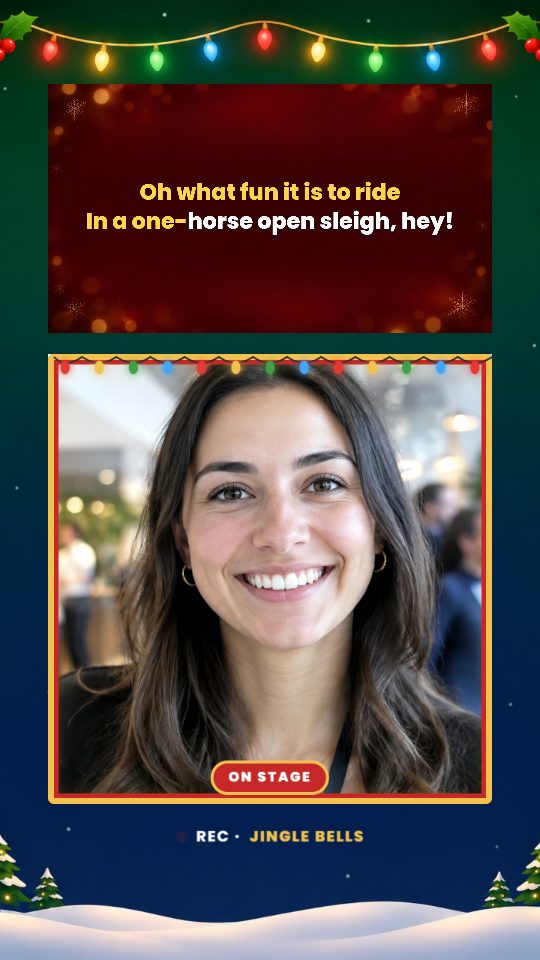
Users sing along to the lyrics in the song video while the camera and microphone record the performance, with the song mixed into the recording. There is no score, no timer and no time limit.
Save the Video
When the song ends, the recording is saved by itself while the screen shows the upload progress. Every performance is saved.
Watch and Download
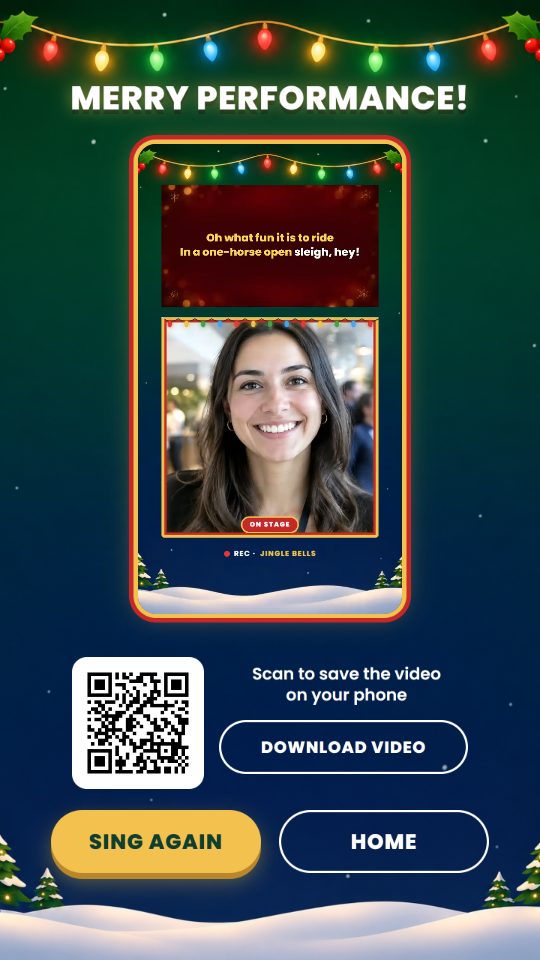
Users move on to a page that plays their recording, with a QR code that opens a download page on their phone and a button that downloads the video.
The Jingle All the Way Demo
The demo shows Karaoke as Jingle All the Way, a Christmas sing-along to the chorus of Jingle Bells, about 30 seconds long. A start screen sets out the three steps. The lyrics are part of the song video and turn gold as they are sung, above the live camera picture. When the song ends, a watch page plays the recording, with a QR code to scan and a Download Video button. Keep it as it is, or swap in your own lyric videos, screens and copy.
 9:16
 9:16
 9:16
What You Can Customise
What Karaoke Can Do for Your Campaign
Give Every Guest a Keepsake
Each guest leaves with a video of their own performance to keep and share.
Put Your Song on Everyone’s Lips
Guests sing your jingle, anthem or brand song to your own lyric video, so the brand is the soundtrack of the moment.
Nobody Loses
There is no score, no winner and no time limit, so anyone can step up and join in.
Run It on Site or Online
Set it up as a booth on a venue screen, or share a link so guests sing on their own phone or laptop.
Where Brands Use It
Events
Set up a sing-along booth where guests step up, sing and leave with their video.
Exhibitions
Give visitors a reason to stop at the booth and take a recording home.
Shopping Malls
Run a seasonal sing-along, such as Christmas songs, for shoppers and families.
Retail Stores
Add a festive sing-along to an in-store promotion.
Product Launches
Have guests sing the campaign jingle as the new product lands.
Roadshows and Pop-Ups
Bring the same sing-along booth to every campaign location.
Ways to Set It Up
Online Experience
Users sing in a web browser on their own device, using its camera and microphone.
On-Site Experience
Karaoke runs on a screen at a booth, with a camera and a microphone facing the singer.
Frequently Asked Questions
Karaoke is a sing-along experience. Guests sing along to a lyric video on screen while the camera and microphone record them, and the recording is offered on the next page to watch and download.
Jingle All the Way is the demo shown on this page, a Christmas sing-along to the chorus of Jingle Bells, about 30 seconds long. Use it as it is, or swap in your own lyric videos and screens.
No. There is no score, no winner, no timer and no time limit. The song plays to its end, and every performance is saved.
Yes. Upload your own MP4 lyric videos, such as a jingle, an anthem or a brand song, up to 500 MB each. The lyrics must already be in the video, because the screen does not add lyrics or song titles of its own.
Online, a phone or laptop with a front camera and a microphone, with camera and microphone access allowed. On site, a screen with a front facing camera and a microphone, used by one guest at a time.
The page after the song plays the recording, with a QR code that opens a download page on the guest’s phone and a button that downloads the video.
Either the whole screen, with the song video, the live camera and the rest of the page, or only the camera, enlarged, with your frame over it. The song is mixed into the recording either way.
Yes, when a pause key is set up, such as a physical button. It pauses the song and the recording and asks whether to carry on. Choosing No ends the run and saves the video.
No. It runs in a web browser with camera and microphone access.
Data collection is optional. Registration, consent and customised questions can be added as steps before or after the song.
Build and Launch Your Karaoke
Upload your lyric videos, design the screens around the camera and give every guest a video to take home with qiksense.