Lo Hei
A Chinese New Year yusheng toss for the microphone. Each ingredient appears with its blessing, and players say the blessing out loud to toss it onto the platter, with louder blessings scoring more. Then they raise a hand again and again, or tap or click, to toss the salad high, and the Huat Index adds it all up. Shown here with seven ingredients and their traditional blessings, it also works with your own ingredients, blessings, platter and timing.
How Lo Hei Works
Start the Game
The platter waits with a hint for the one action that works on the device: raise a hand with a motion camera, click with a mouse or tap on a touchscreen. While the player gets ready, the game listens to the room to learn how loud it is.
Say the Blessings
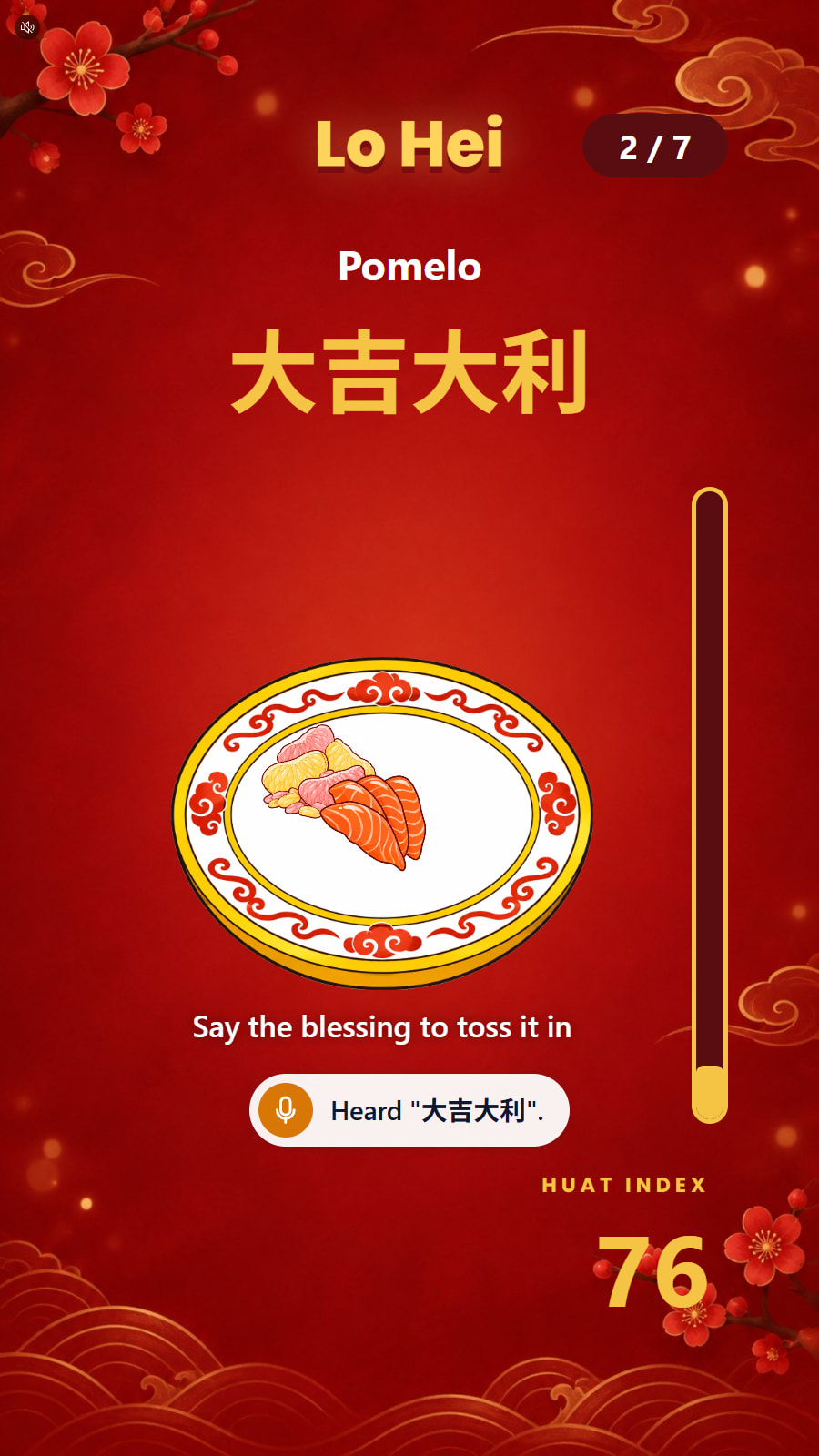
Each ingredient appears with its name and its blessing in large characters, such as Raw Fish, 年年有余. Saying the blessing tosses it onto the platter at once, and saying it louder than the room scores more. An ingredient not heard in time tosses itself in for no points.
Toss It High
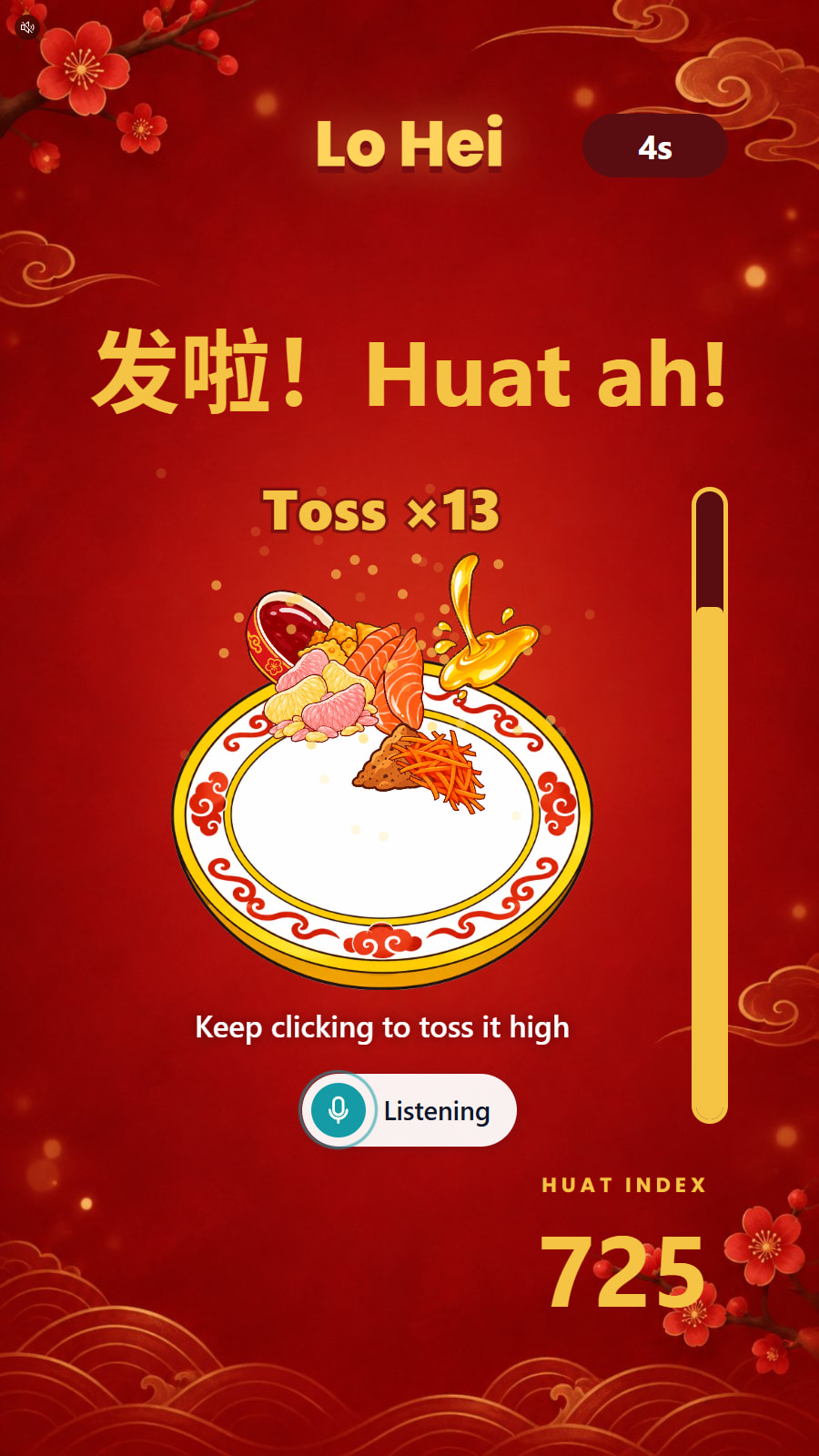
After the last ingredient, a 3, 2, 1 get-ready leads into the finale. Every raised hand, click or tap tosses the salad high and counts once, and the Huat Index, from 0 to 888, adds up the blessings and the tosses.
Continue the Journey
Players who reach the pass score can go on to a prize or result page, and the Huat Index can rank them on a campaign leaderboard, depending on the campaign setup.
The Festive Platter Demo
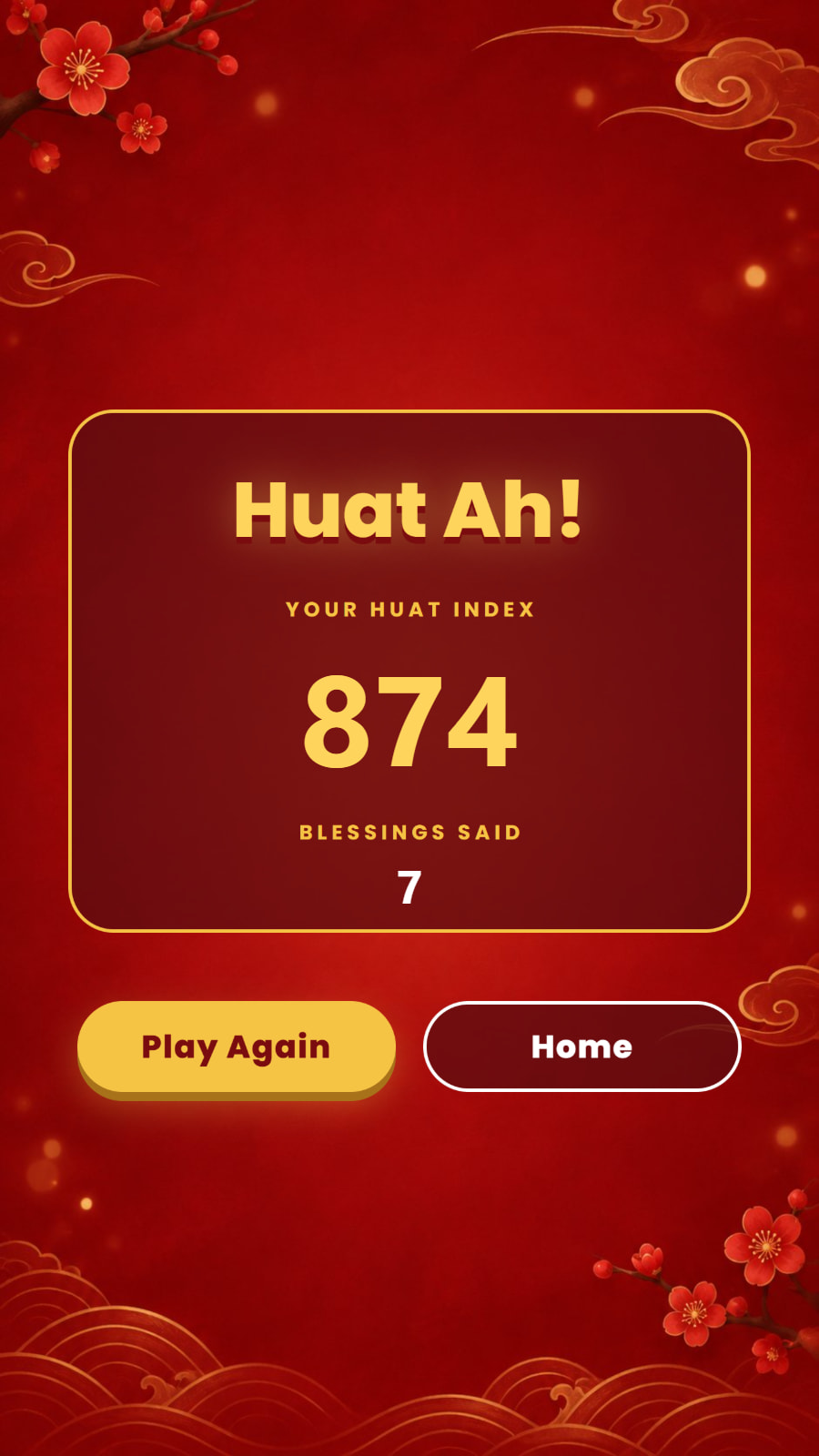
The demo shows Lo Hei on a red Chinese New Year background, with a gold-rimmed platter and seven ingredients, from Raw Fish (年年有余) to Plum Sauce (甜甜蜜蜜). Each ingredient waits up to 4 seconds for its blessing, then a 3-second get-ready leads into an 8-second toss, and the result page shows the Huat Index and the blessings said. Keep it as it is, or swap in your own ingredients, blessings, platter and copy.
 9:16
 9:16
 9:16
What You Can Customise
What Lo Hei Can Do for Your Campaign
Attract and Engage Users
Guests shout blessings in front of the screen and toss with the crowd cheering them on, just like lo hei at a reunion dinner.
Reinforce Campaign Messaging
Make your product one of the ingredients and your slogan one of the blessings, with your own platter and ingredient pictures.
Capture Participation Data
Track plays, scores and conversion, and collect contact details where needed.
Extend the Engagement
Connect the game to a leaderboard, reward, voucher, lucky draw or the next step in the campaign journey.
Where Brands Use It
Events
Create a quick and engaging activity that encourages attendees to stop and participate.
Exhibitions
Attract visitors to the booth with a simple and repeatable branded challenge.
Shopping Malls
Run interactive games for shopper engagement, seasonal campaigns and promotions.
Retail Stores
Support product promotions, purchases and in-store reward journeys.
Product Launches
Turn product features, visuals or campaign messages into an interactive game.
Roadshows and Pop-Ups
Launch the same branded experience across different campaign locations.
Ways to Set It Up
Online Experience
Users can access the game through a web browser on their own device.
On-Site Experience
The game can be set up as a physical experience at events, retail spaces, exhibitions or activations.
Frequently Asked Questions
A marketing game is a branded interactive experience that encourages users to complete a simple challenge, receive a score or result and continue through a campaign journey. It can be used to attract attention, reinforce campaign messaging and encourage participation.
Mandarin. Blessings are compared by sound, so a character that sounds the same counts, and a blessing said inside a longer sentence counts too. Cantonese and Hokkien blessings are mostly not recognised: add the way they are written to Also Accept, or check blessings by loudness only.
Yes. The background, images, game objects, colours, typography, buttons, sound effects and result screens can be customised to match the campaign or brand identity.
Yes. Users can access the game online through a browser on a mobile phone, tablet or laptop. It can also be set up on-site using a touchscreen display with an operating system, browser and internet connection.
Yes. Scores can be added to a leaderboard to rank users throughout the campaign. The leaderboard can be displayed immediately after the game or shown on a separate screen.
Yes. The game result can be connected to prizes, vouchers, promotional codes, lucky draws or other rewards. The reward journey can be based on the score, result or campaign rules.
No. With a motion camera connected, players raise a hand to start and to toss, and taps on the screen are ignored. Without one, on a phone, laptop or touchscreen, they click or tap instead. A microphone is needed for the blessings.
qiksense can track campaign performance such as participation, completion rates, scores and conversion. Contact details and responses to customised questions can also be collected with the relevant consent copy, and the data can be exported.
Build and Launch Your Marketing Game
Customise the gameplay, design the screens and launch your marketing game online or on-site with qiksense.