Recipe Rush
A recipe-making game where users tap the right ingredients off a moving conveyor belt to make each dish before the time runs out. Ingredients can be picked in order or in any order, and wrong picks cost seconds. Useful for food and beverage campaigns, product discovery and interactive brand challenges.
How the Recipe Rush Works
Start the Game
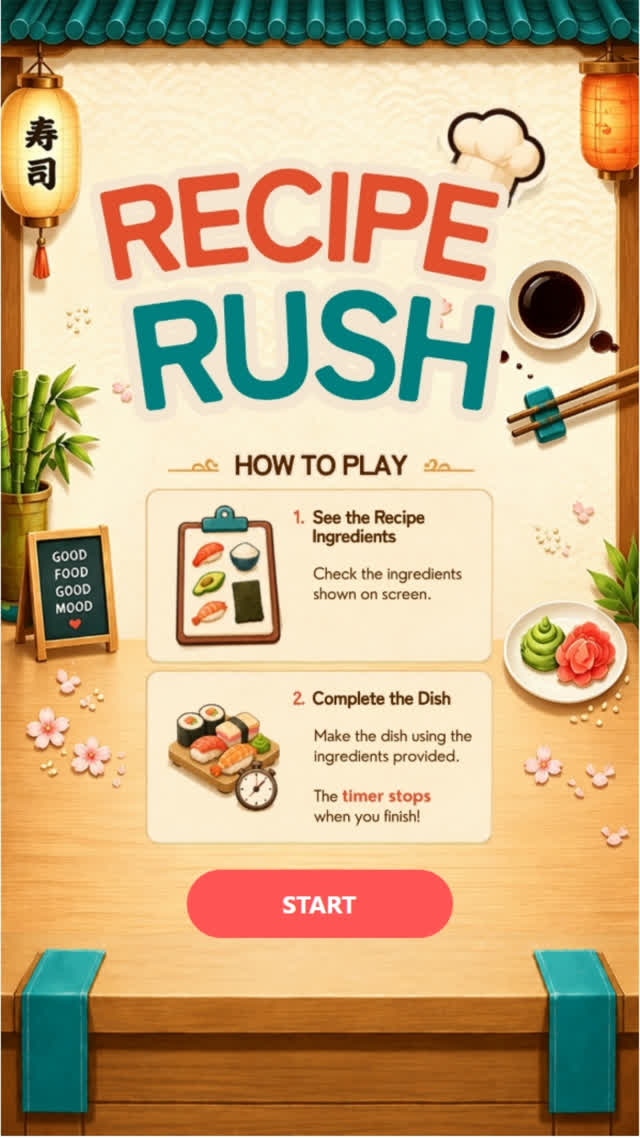
The game starts by itself with a 3, 2, 1 countdown, then the recipe for the first dish is shown.
Make the Recipe
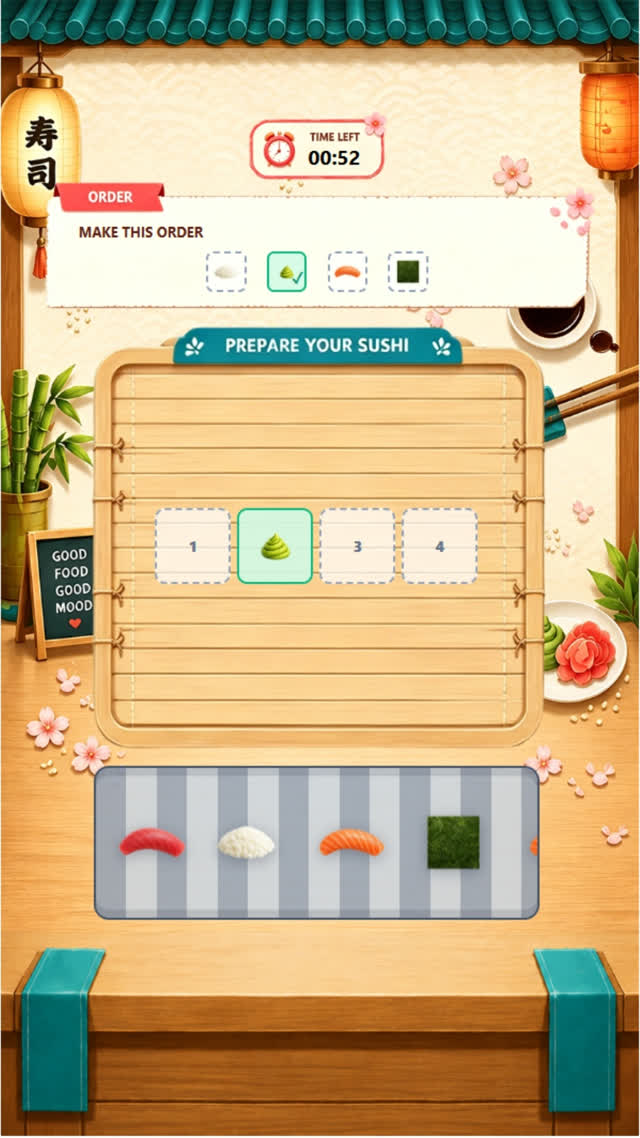
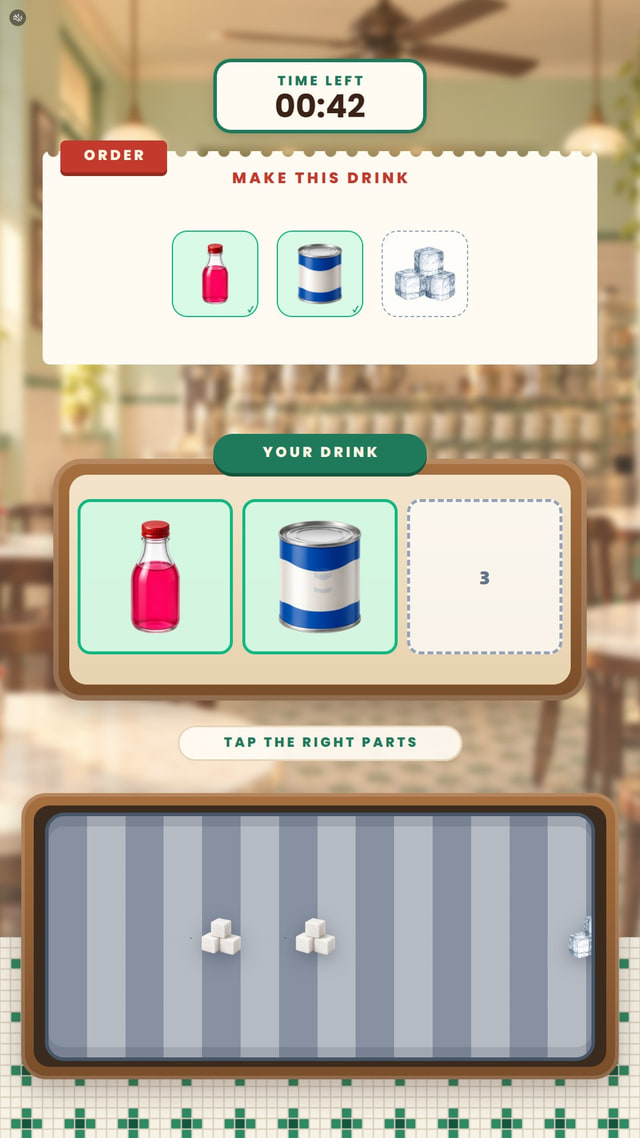
Users tap the ingredients the dish needs as they ride past on the conveyor belt, in order or in any order, as set up. A wrong item costs seconds.
Receive the Result
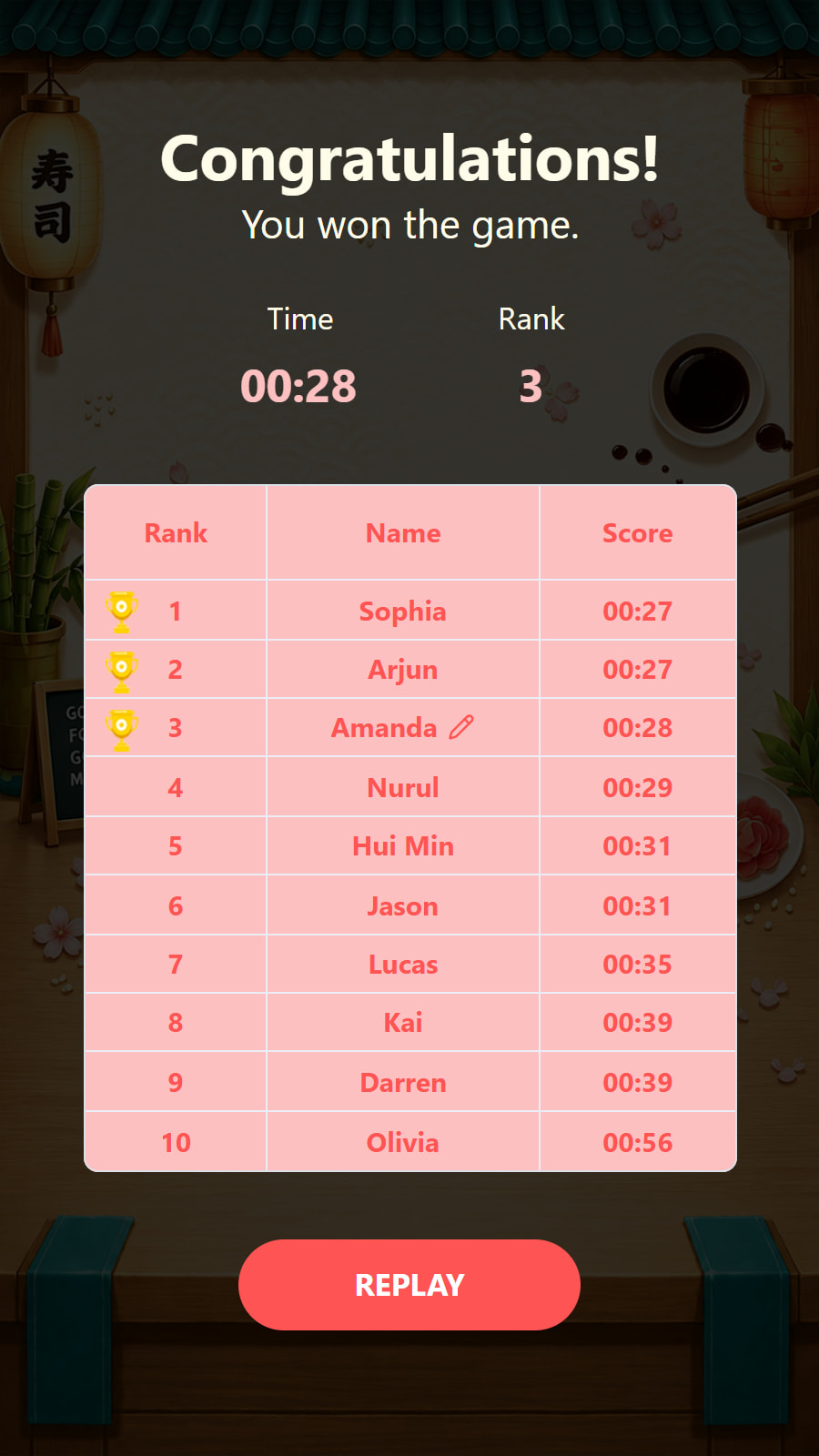
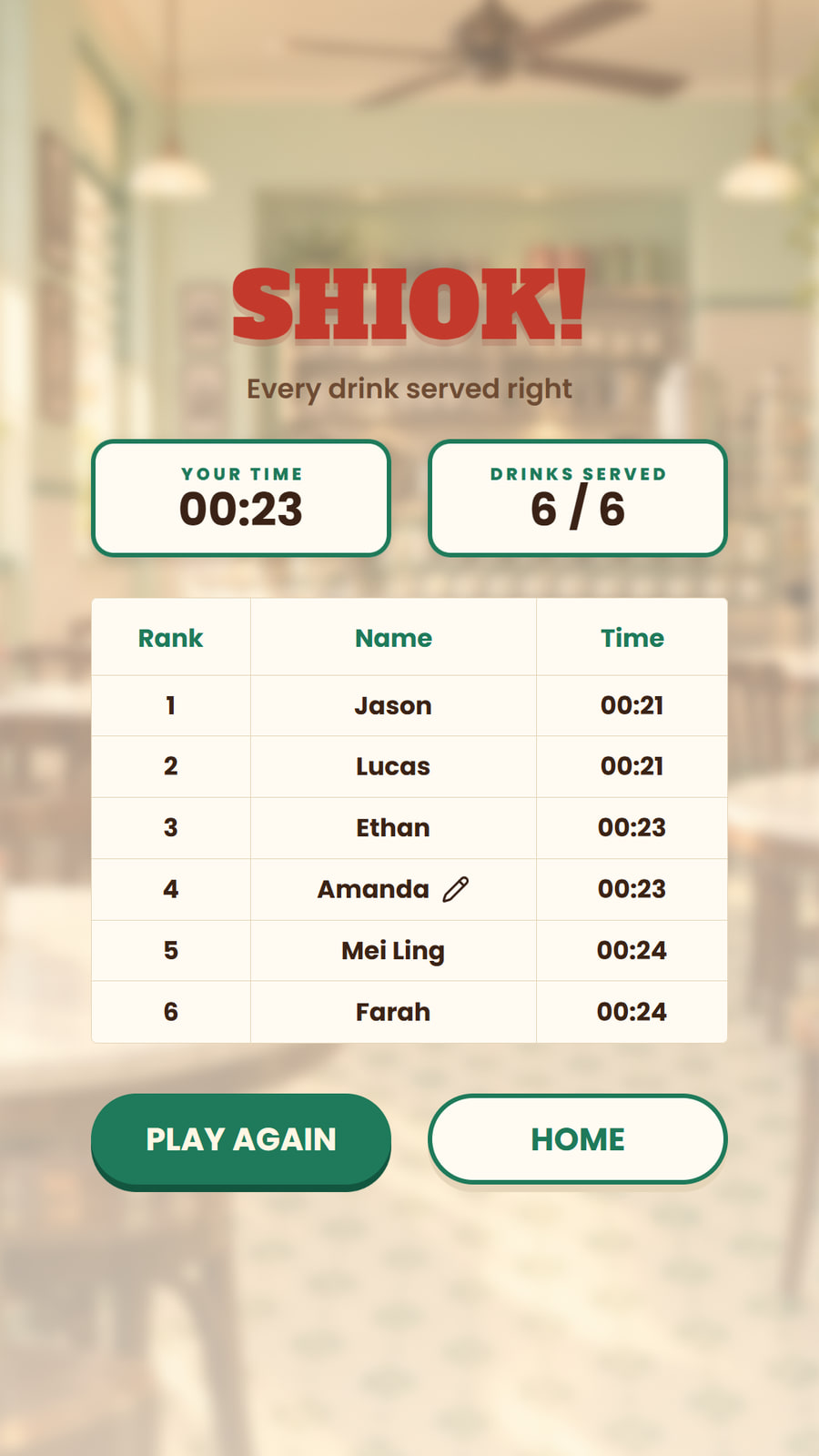
The round ends when every dish is made or the time runs out. The score is the time taken plus any penalties, so the fastest cooks rank highest.
Continue the Journey
Users can join a leaderboard, unlock a reward, submit their details or play again, depending on the campaign setup.
Different Themes to Start From
Sushi Bar
Make each sushi dish at the sushi bar by picking its ingredients off the conveyor belt before the time runs out.
Kopitiam Master
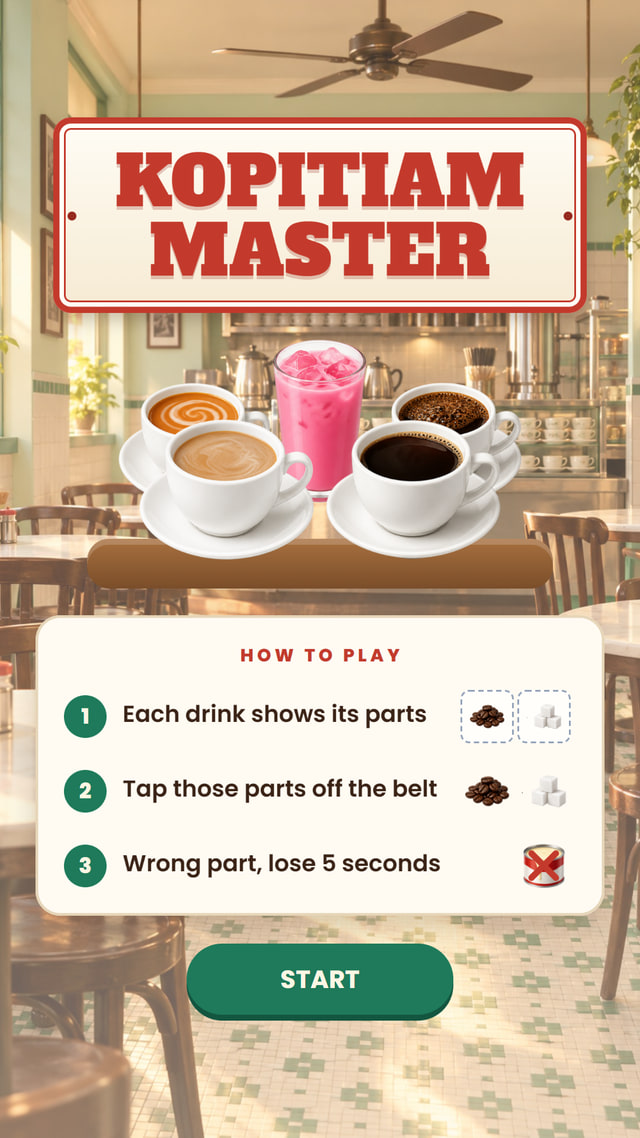
The same game in a Singapore kopitiam, where players make local drinks like Bandung and Teh C by picking each drink’s parts off the belt.
What You Can Customise
What the Recipe Rush Can Do for Your Campaign
Attract and Engage Users
The make-the-recipe challenge is hands-on and satisfying, keeping users engaged as they assemble the item.
Reinforce Campaign Messaging
Build the recipe around your own products, ingredients or menu items so users interact with the brand.
Capture Participation Data
Track plays, scores and conversion, and collect contact details where needed.
Extend the Engagement
Connect the game to a leaderboard, reward, voucher, lucky draw or the next step in the campaign journey.
Where Brands Use It
Events
Create a quick and engaging activity that encourages attendees to stop and participate.
Exhibitions
Attract visitors to the booth with a simple and repeatable branded challenge.
Shopping Malls
Run interactive games for shopper engagement, seasonal campaigns and promotions.
Retail Stores
Support product promotions, purchases and in-store reward journeys.
Product Launches
Turn product features, visuals or campaign messages into an interactive game.
Roadshows and Pop-Ups
Launch the same branded experience across different campaign locations.
Ways to Set It Up
Online Experience
Users can access the game through a web browser on their own device.
On-Site Experience
The game can be set up as a physical experience at events, retail spaces, exhibitions or activations.
Frequently Asked Questions
A marketing game is a branded interactive experience that encourages users to complete a simple challenge, receive a score or result and continue through a campaign journey. It can be used to attract attention, reinforce campaign messaging and encourage participation.
Yes. The background, images, game objects, colours, typography, buttons and result screens can be customised to match the campaign or brand identity. You can add background music, while the game’s own sound effects are built in.
Yes. Users can access the game online through a browser on a mobile phone, tablet or laptop. It can also be set up on-site using a touchscreen display with an operating system, browser and internet connection.
Yes. Scores can be added to a leaderboard to rank users throughout the campaign. The leaderboard can be displayed immediately after the game or shown on a separate screen.
Yes. The game result can be connected to prizes, vouchers, promotional codes, lucky draws or other rewards. The reward journey can be based on the score, result or campaign rules.
qiksense can track campaign performance such as participation, completion rates, scores and conversion. Contact details and responses to customised questions can also be collected with the relevant consent copy, and the data can be exported.
Build and Launch Your Marketing Game
Customise the gameplay, design the screens and launch your marketing game online or on-site with qiksense.