Perfect Alignment
Two copies of a campaign image of your choice glide towards each other, cross and come back. Users tap at the exact moment they overlap, and the closer the overlay, the higher the accuracy. There is no luck in it, which makes it a clean, skill-based way to gate prizes.
How the Perfect Alignment Works
Start the Round
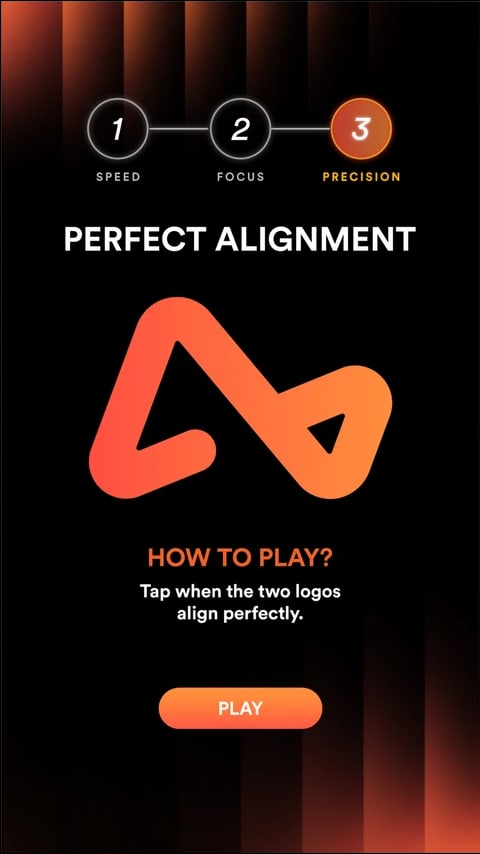
Users arrive at the play area, where two copies of the campaign image sit at opposite ends, one faded, one solid. A countdown or start button begins the round.
Watch Them Cross
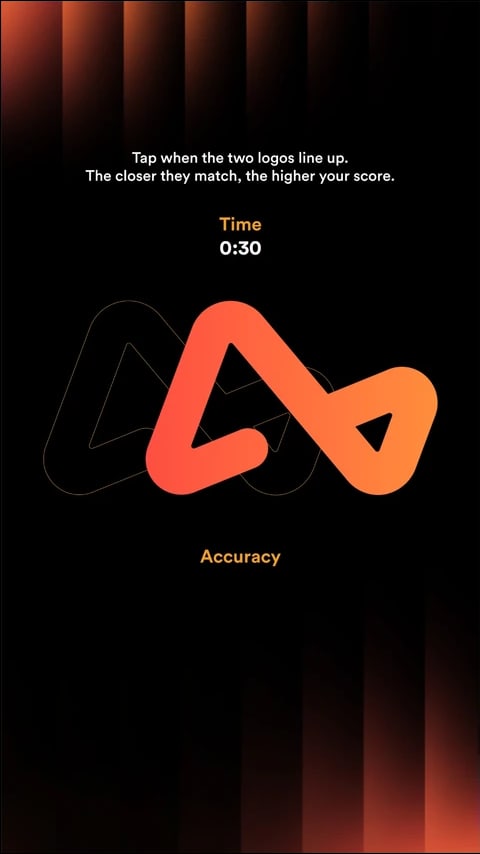
The two copies glide towards each other at the same speed, pass through each other, bounce back and keep crossing. They always meet exactly in the middle.
Tap at the Overlap
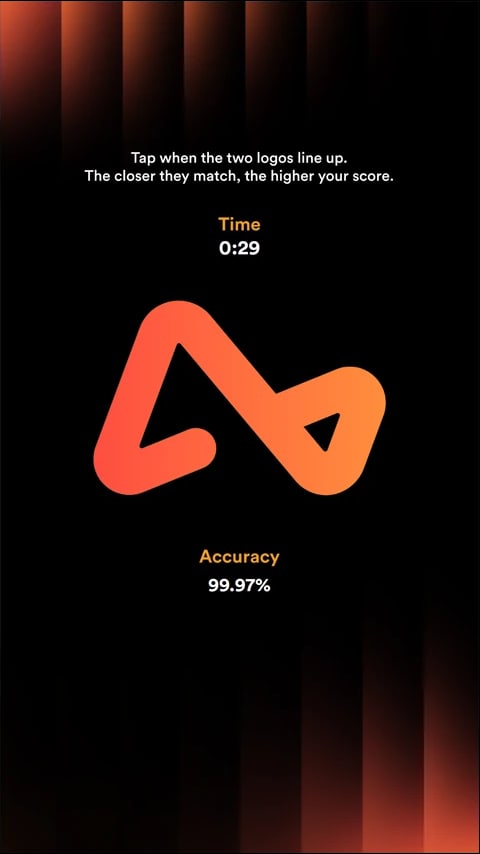
Users tap at the exact moment the two copies line up on top of each other. One tap, one attempt, before the game time runs out.
Continue the Journey
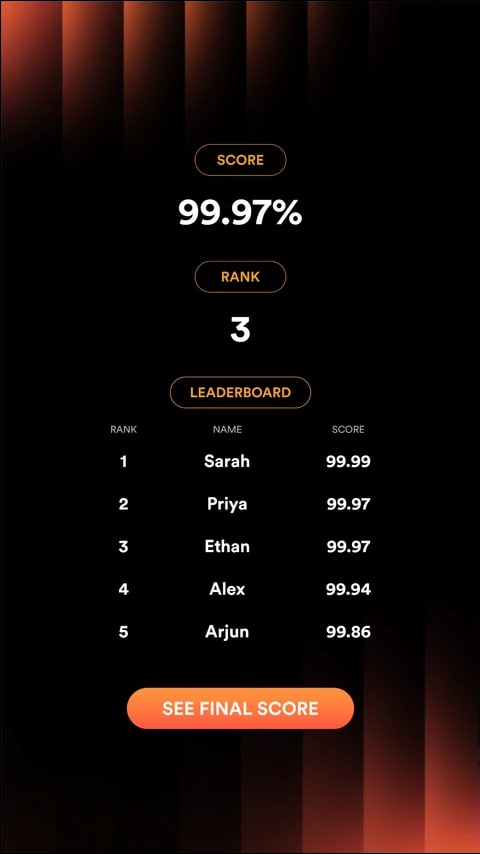
An accuracy score from 0 to 100% shows how closely the copies overlapped. Users can join the leaderboard, unlock a reward or play again, as set up.
Campaign in Action
The Airwallex Skill Circuit, where players tapped the moment two Airwallex logos lined up.
A Closer Look
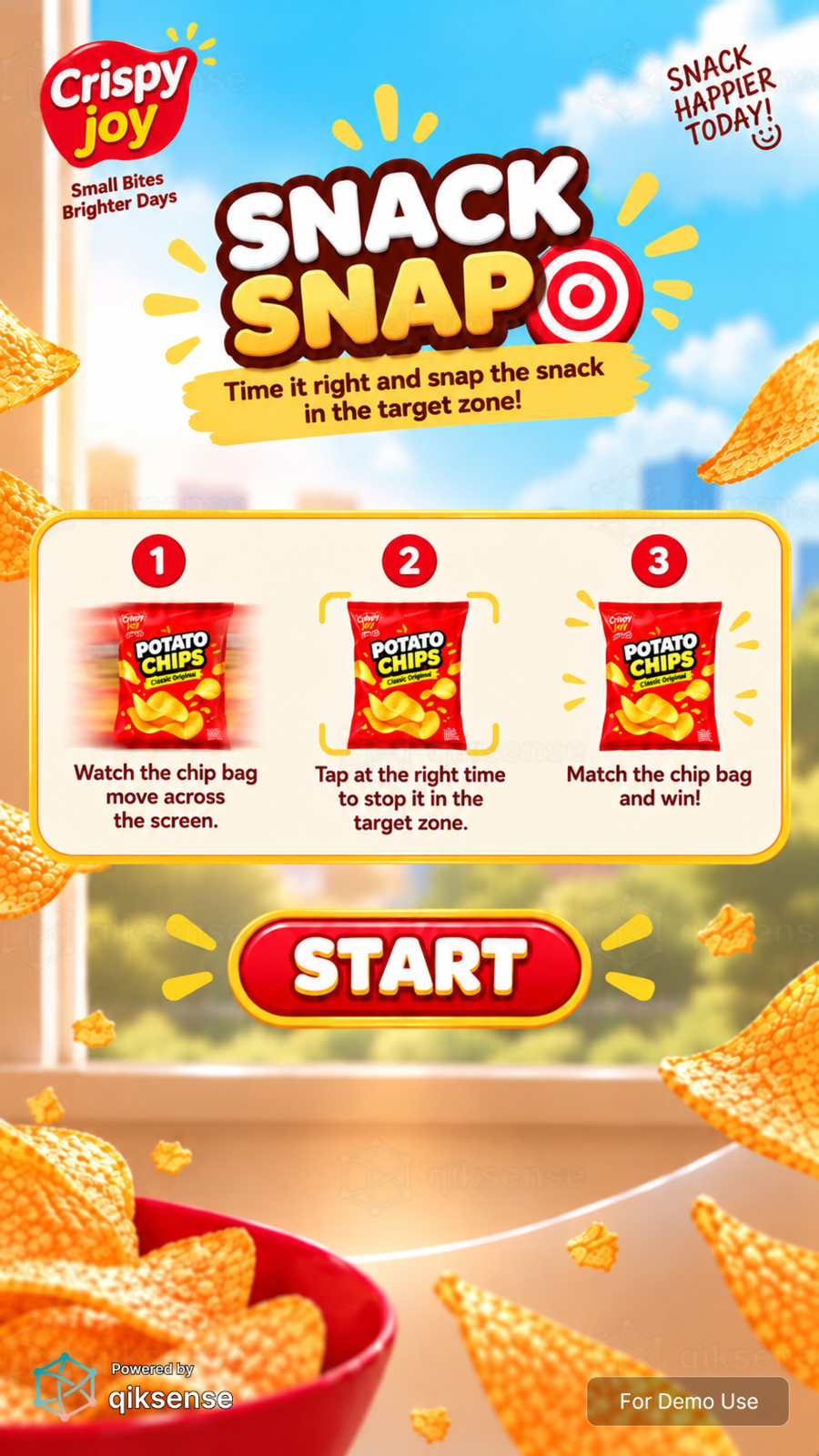 9:16
9:16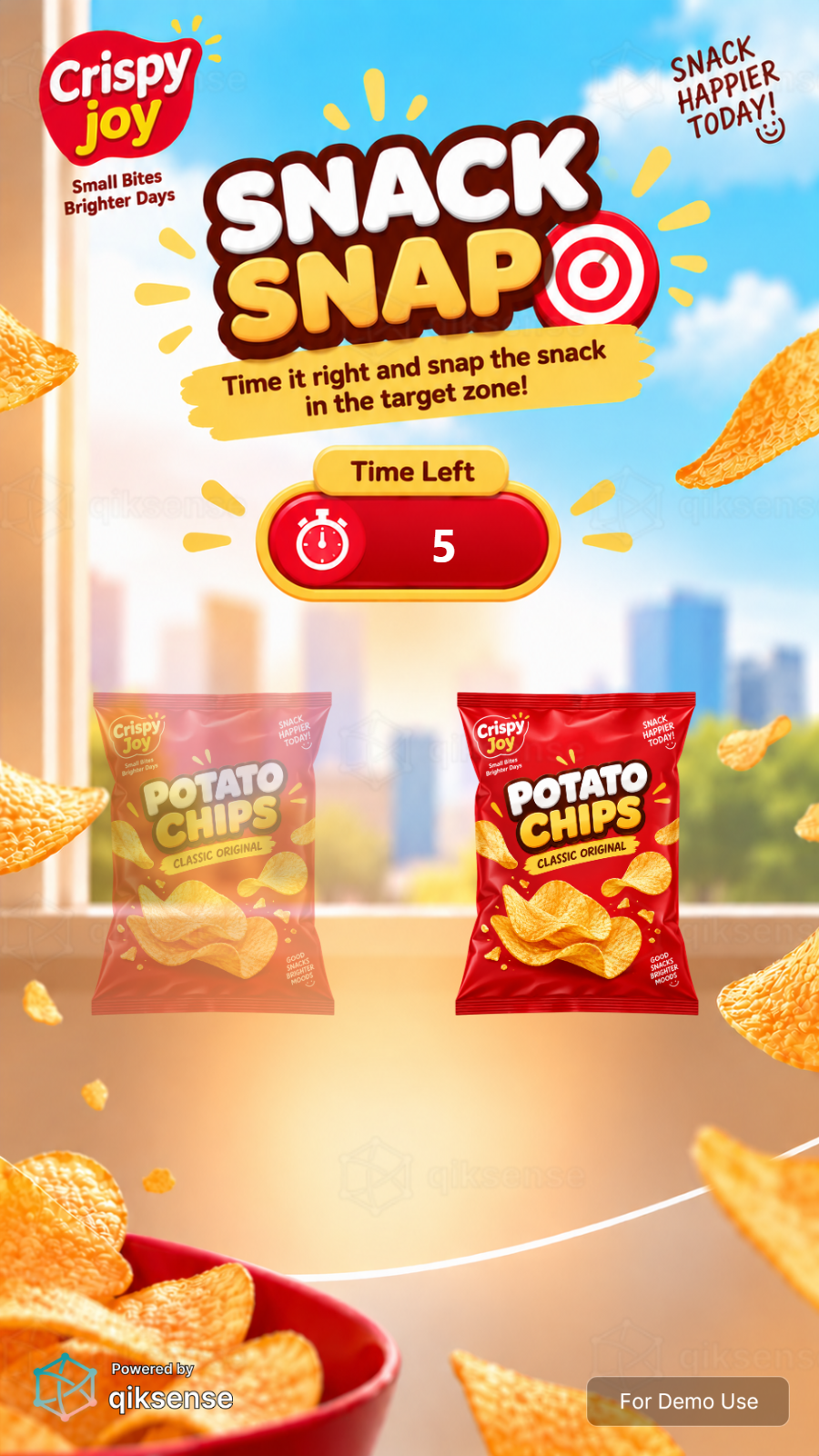 9:16
9:16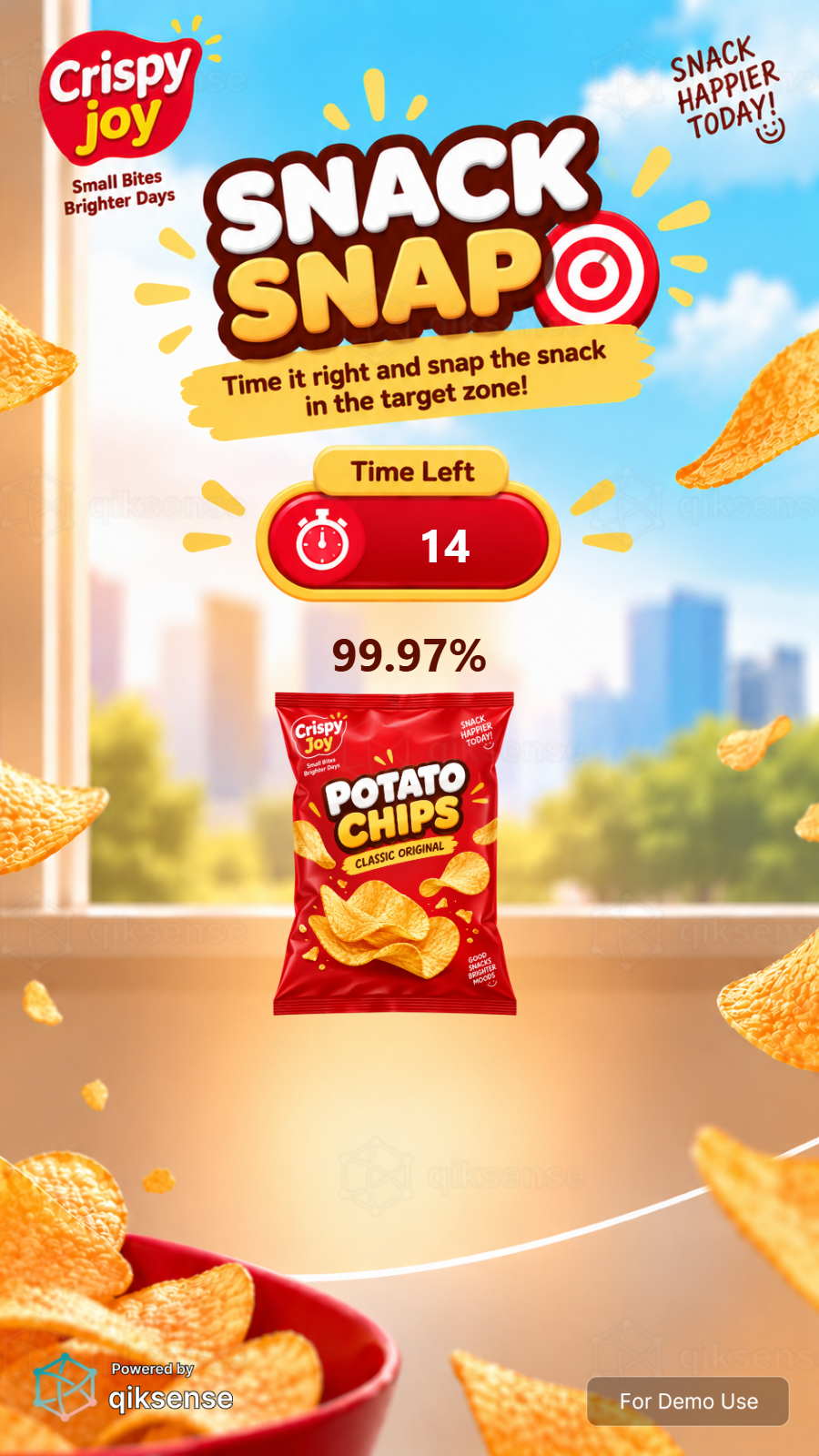 9:16
9:16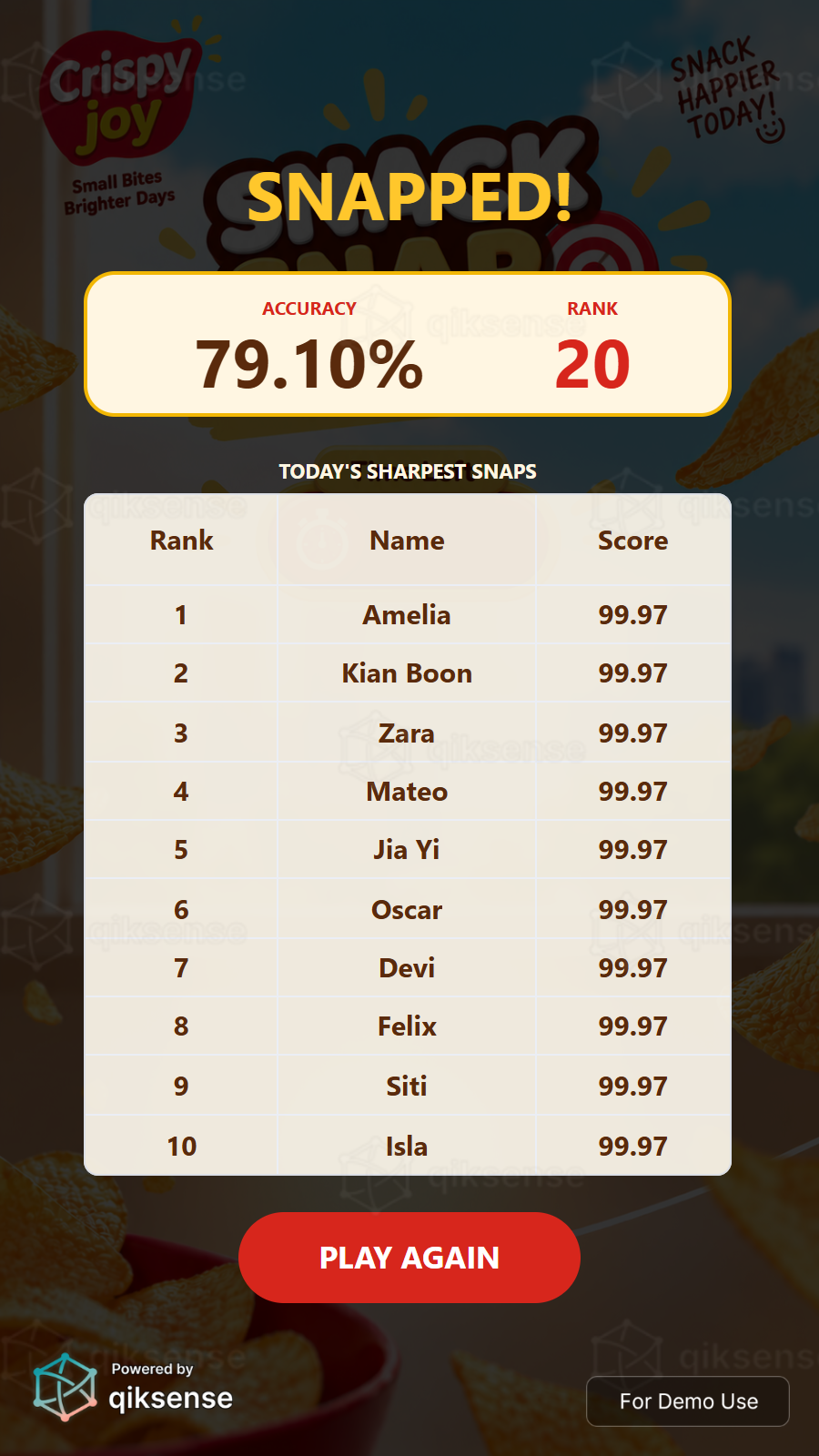 9:16
9:16What You Can Customise
What the Perfect Alignment Can Do for Your Campaign
Attract and Engage Users
The crossing marks build a natural moment of tension, and the skill-only scoring makes every result feel earned.
Reinforce Campaign Messaging
Both moving pieces can be any image, such as a product or mascot, with campaign art on the backdrop.
Capture Participation Data
Track plays, scores and conversion, and collect contact details where needed.
Extend the Engagement
Connect the game to a leaderboard, reward, voucher, lucky draw or the next step in the campaign journey.
Where Brands Use It
Events
Create a quick and engaging activity that encourages attendees to stop and participate.
Exhibitions
Attract visitors to the booth with a simple and repeatable branded challenge.
Shopping Malls
Run interactive games for shopper engagement, seasonal campaigns and promotions.
Retail Stores
Support product promotions, purchases and in-store reward journeys.
Product Launches
Turn product features, visuals or campaign messages into an interactive game.
Roadshows and Pop-Ups
Launch the same branded experience across different campaign locations.
Ways to Set It Up
Online Experience
Users can access the game through a web browser on their own device.
On-Site Experience
The game can be set up as a physical experience at events, retail spaces, exhibitions or activations.
Frequently Asked Questions
A reaction game is a branded interactive experience that measures how fast or how precisely a user responds to a visual cue. Each round produces a time or accuracy score, decides a pass or fail and can rank users on a leaderboard or gate a prize.
Yes. The background, images, game objects, colours, typography, buttons, sound effects and result screens can be customised to match the campaign or brand identity.
Yes. Users can access the game online through a browser on a mobile phone, tablet or laptop. It can also be set up on-site using a touchscreen display with an operating system, browser and internet connection.
Yes. Scores can be added to a leaderboard to rank users throughout the campaign. The leaderboard can be displayed immediately after the game or shown on a separate screen.
Yes. The game result can be connected to prizes, vouchers, promotional codes, lucky draws or other rewards. The reward journey can be based on the score, result or campaign rules.
qiksense can track campaign performance such as participation, completion rates, scores and conversion. Contact details and responses to customised questions can also be collected with the relevant consent copy, and the data can be exported.
Make the Overlap the Moment
Upload a product, mascot or brand image as a transparent PNG, tune the speed and hit window, and connect every tap to scores, leaderboards and rewards with qiksense.