Stay Within
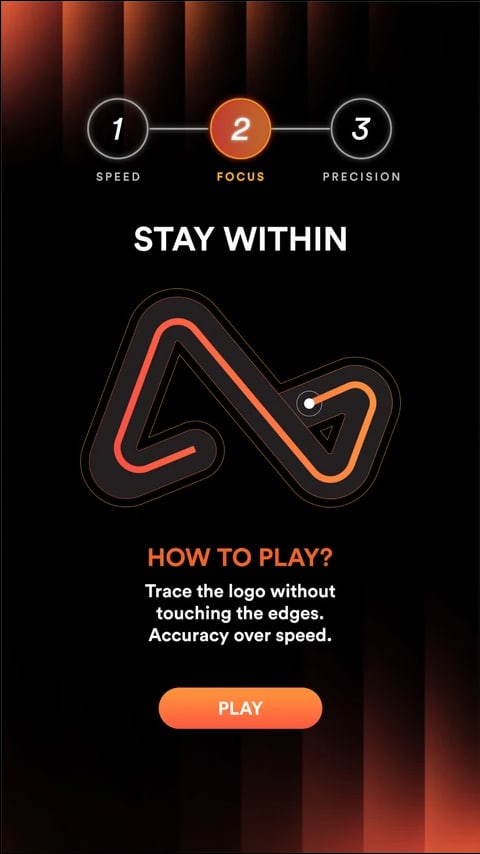
One steady drag from start to finish along a branded shape, without touching the edge. One touch ends the round on the spot, so every clear run is earned and the fastest clear times top the leaderboard. Simple to understand, tense to play and very watchable at a booth.
How the Stay Within Works
Press and Hold to Start
Users arrive at the shape with a pulsing ring on the start point. The clock only starts the moment they press and hold it, so they can study the route first.
Drag Along the Shape
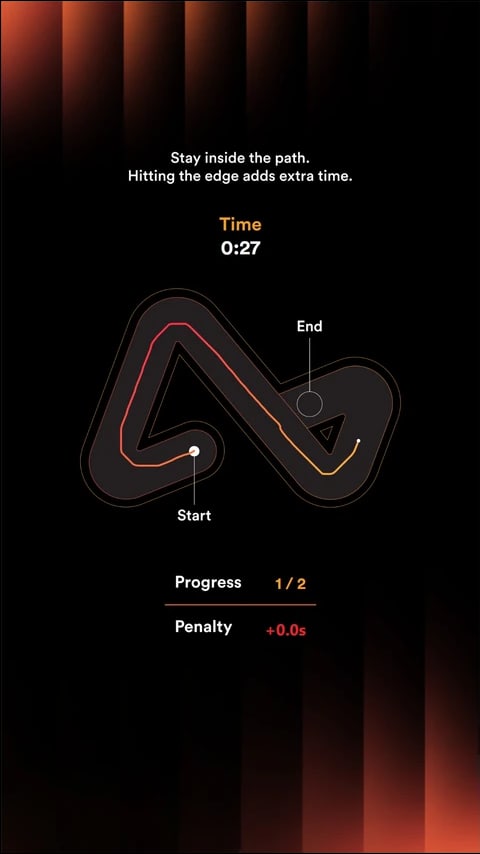
Keeping their finger down, users drag along the shape through every waypoint in order, staying clear of the edges.
Do Not Touch the Edge
Touching the edge ends the round on the spot, so every clear run is earned with a steady hand.
Continue the Journey
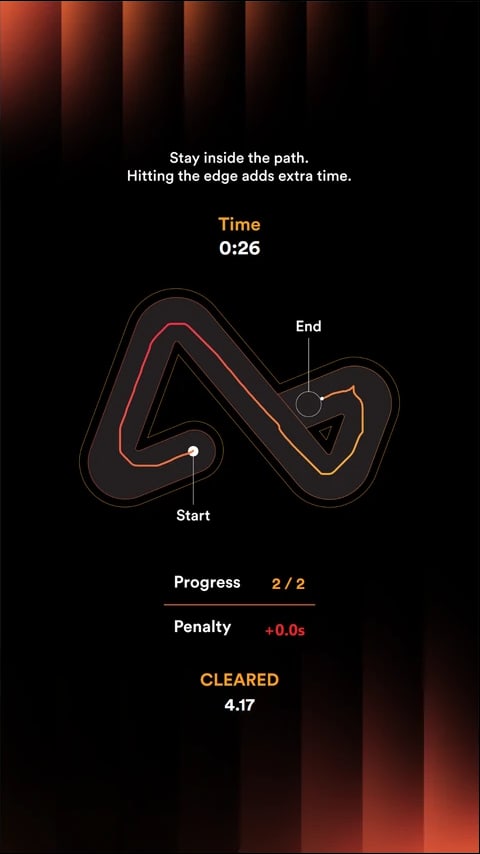
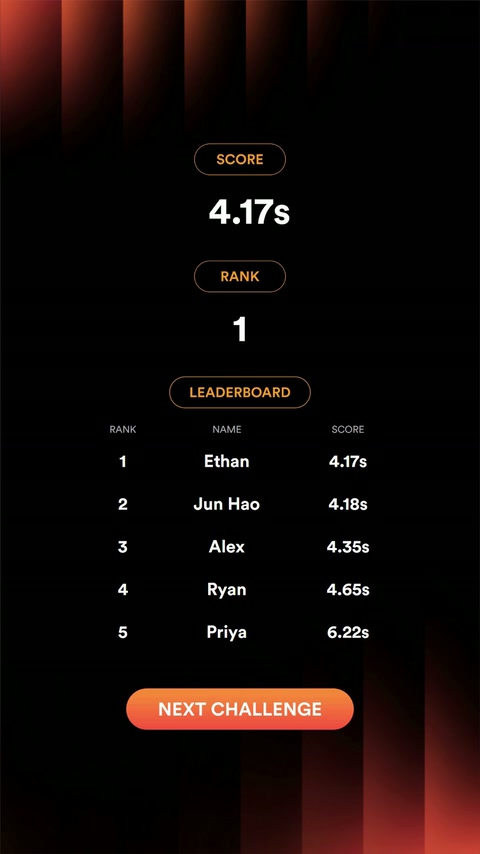
Reaching the last waypoint clears the round and the clear time is shown. Users can join the leaderboard, unlock a reward or play again, depending on the setup.
Campaign in Action
The Airwallex Skill Circuit, where players guided a dot along the Airwallex logo without touching the edge.
A Closer Look
 9:16
9:16 9:16
9:16 9:16
9:16 9:16
9:16What You Can Customise
What the Stay Within Can Do for Your Campaign
Attract and Engage Users
The one-touch-and-out rule creates real tension that draws a crowd of watchers waiting for the slip.
Reinforce Campaign Messaging
The shape users trace is your own artwork, with the trail, waypoints and banners styled to the campaign.
Capture Participation Data
Track plays, scores and conversion, and collect contact details where needed.
Extend the Engagement
Connect the game to a leaderboard, reward, voucher, lucky draw or the next step in the campaign journey.
Where Brands Use It
Events
Create a quick and engaging activity that encourages attendees to stop and participate.
Exhibitions
Attract visitors to the booth with a simple and repeatable branded challenge.
Shopping Malls
Run interactive games for shopper engagement, seasonal campaigns and promotions.
Retail Stores
Support product promotions, purchases and in-store reward journeys.
Product Launches
Turn product features, visuals or campaign messages into an interactive game.
Roadshows and Pop-Ups
Launch the same branded experience across different campaign locations.
Ways to Set It Up
Online Experience
Users can access the game through a web browser on their own device.
On-Site Experience
The game can be set up as a physical experience at events, retail spaces, exhibitions or activations.
Frequently Asked Questions
A skill game is a branded interactive experience where the result comes entirely from the user’s control and precision, with no luck involved. Each round produces a score, decides a pass or fail and can rank users on a leaderboard or gate a prize.
Yes. The background, images, game objects, colours, typography, buttons, sound effects and result screens can be customised to match the campaign or brand identity.
Yes. Users can access the game online through a browser on a mobile phone, tablet or laptop. It can also be set up on-site using a touchscreen display with an operating system, browser and internet connection.
Yes. Scores can be added to a leaderboard to rank users throughout the campaign. The leaderboard can be displayed immediately after the game or shown on a separate screen.
Yes. The game result can be connected to prizes, vouchers, promotional codes, lucky draws or other rewards. The reward journey can be based on the score, result or campaign rules.
qiksense can track campaign performance such as participation, completion rates, scores and conversion. Contact details and responses to customised questions can also be collected with the relevant consent copy, and the data can be exported.
Reward the Steadiest Hand
Upload the shape, set the edge margin and time limit, and connect every clear run to leaderboards and rewards with qiksense.