An Event Agency Created a Live Message Wall for SIT Convocation with qiksense
 ·
19 October 2026
·
4 min read
The Challenge
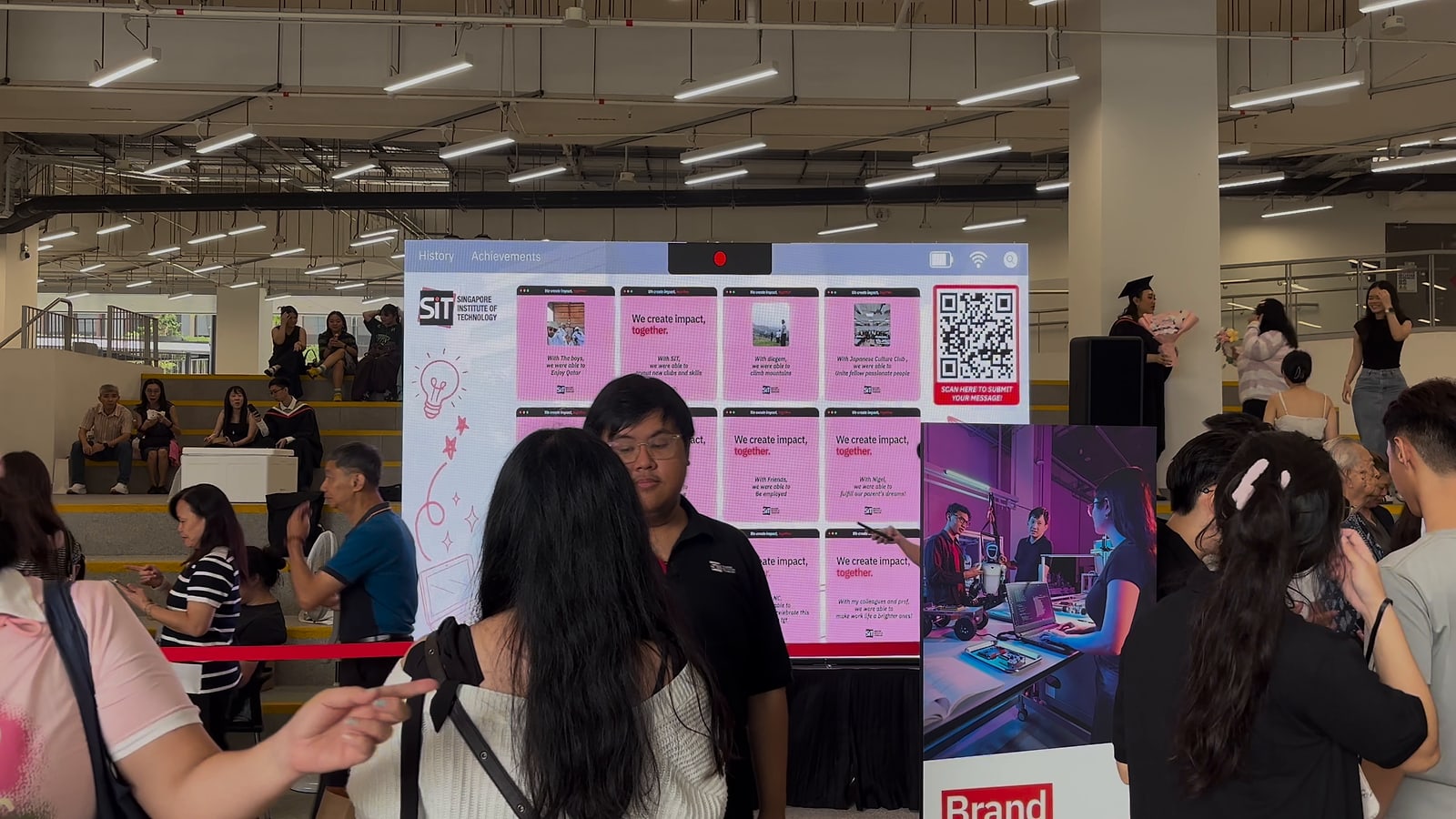
An event agency created a live wall for its client the Singapore Institute of Technology (SIT) at SIT Convocation 2026, held at the SIT Punggol Campus from 12 to 16 October 2026. The wall was one of the experience booths of Convocation Week, which graduates and their families could visit before and after their ceremony.
The booth carried SIT's message, "We create impact, together.", and asked every visitor who had been part of their story.
The agency needed an experience that could:
- Let guests take part by scanning a QR code with their own phones
- Let graduates and their families leave a message and a photo
- Approve each message before it goes up on the wall
The Solution
To achieve this, the agency used the qiksense platform as the software behind a customised Live Wall, built from SIT's own designs in its pink and red Convocation look.
The experience followed a simple journey:
- Guests scanned the QR code on the wall or on a standee beside it
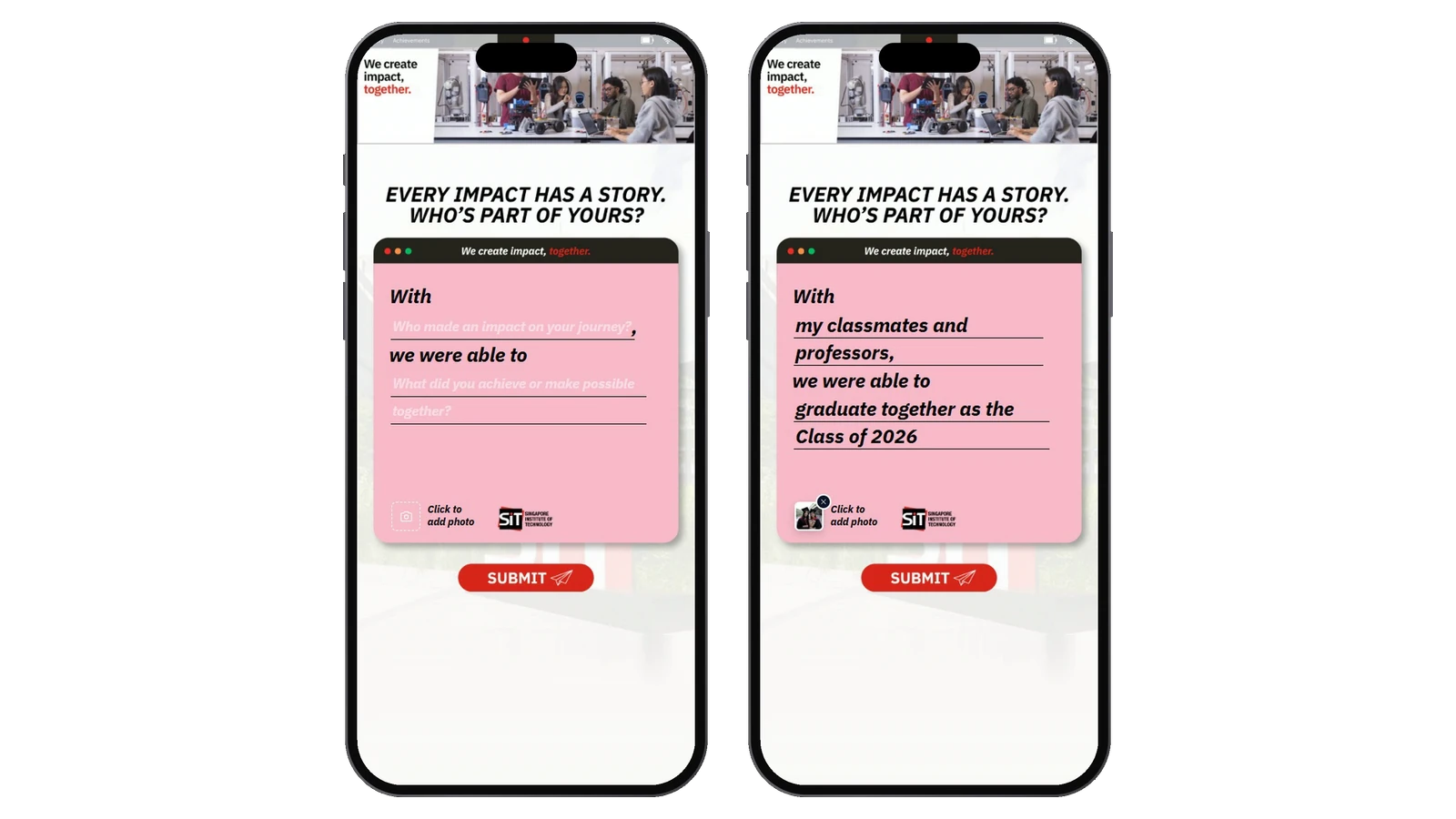
- A message form opened on their phone with the line "Every impact has a story. Who's part of yours?"
- They completed a sentence, "With my ___, we were able to ___", and could add a photo
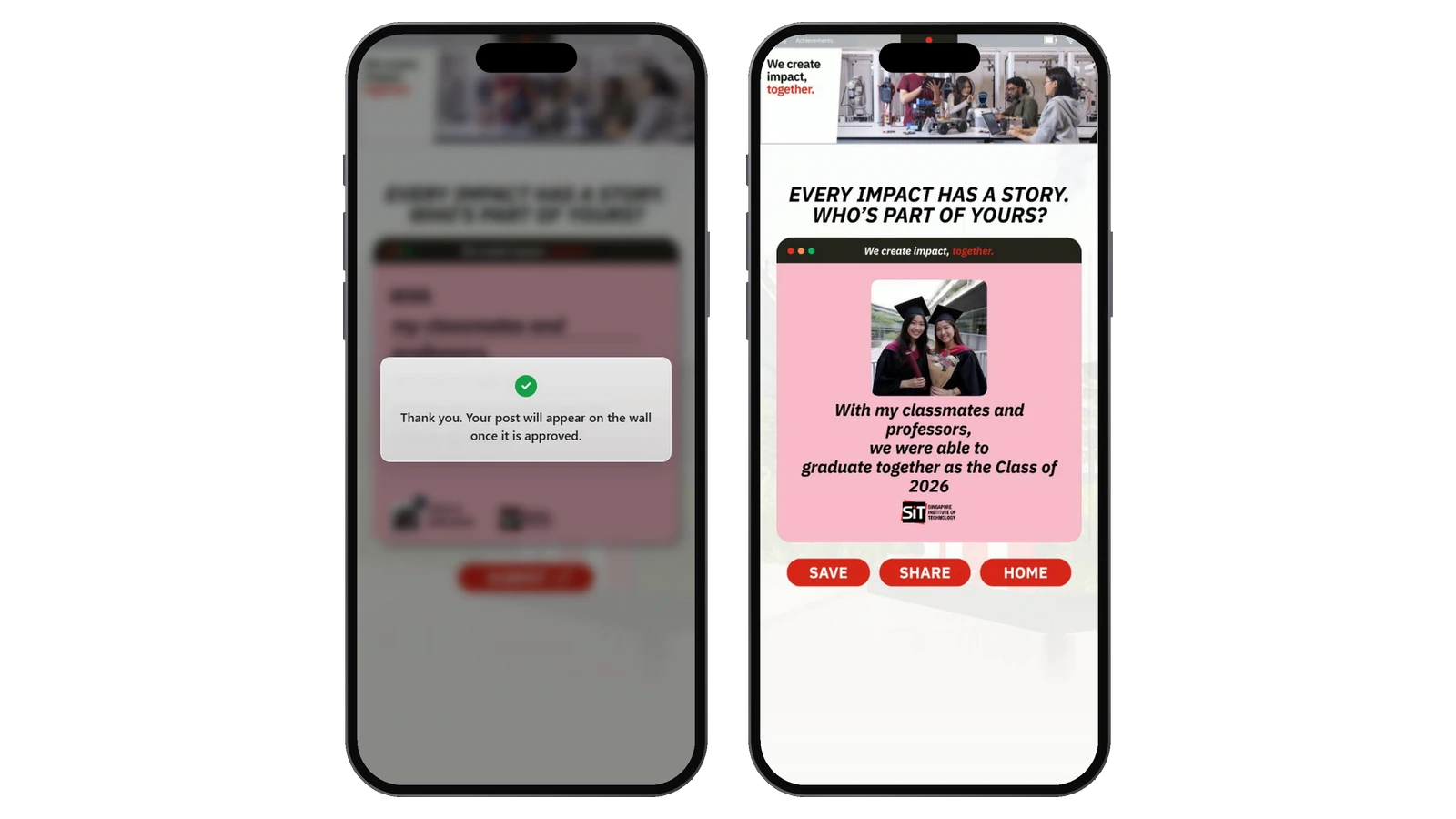
- After SUBMIT, a note told them their post would appear on the wall once it was approved
- A thank you page showed their message card, ready to save or share
- Once approved, the card appeared on the big screen with everyone else's
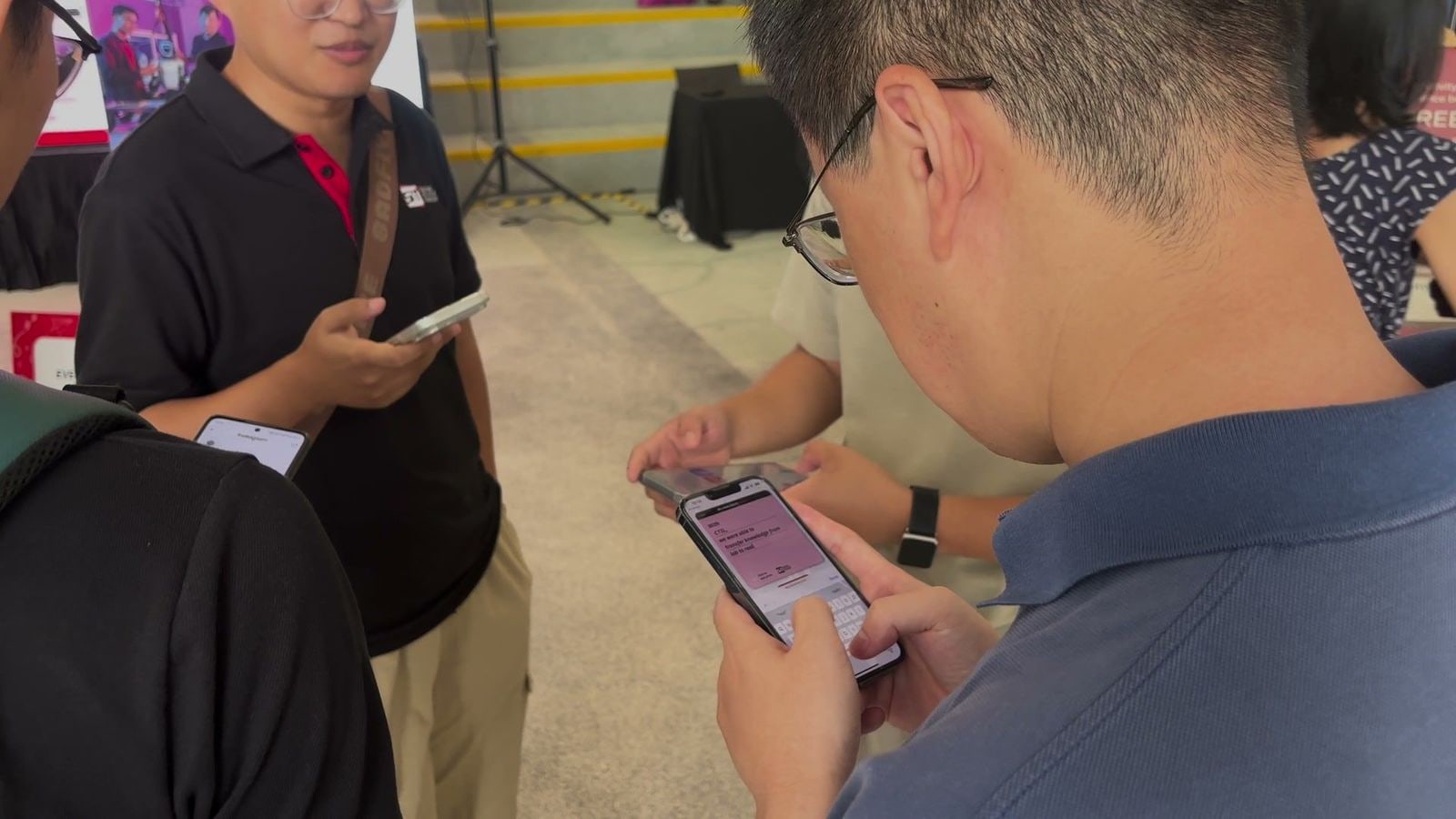
Engage Module: Fill in the Blank Message Form
Instead of an empty text box, guests filled in two blanks in a sentence written for the occasion. A message could read, for example, "With my classmates and professors, we were able to graduate together as the Class of 2026". The sentence kept every message short and on theme, and each blank took up to 45 characters.
Guests could also add one photo, taken on the spot or chosen from their album. The photo sat on the card with the message, so families could put a face to the story.
Engage Module: Live Feedback Wall
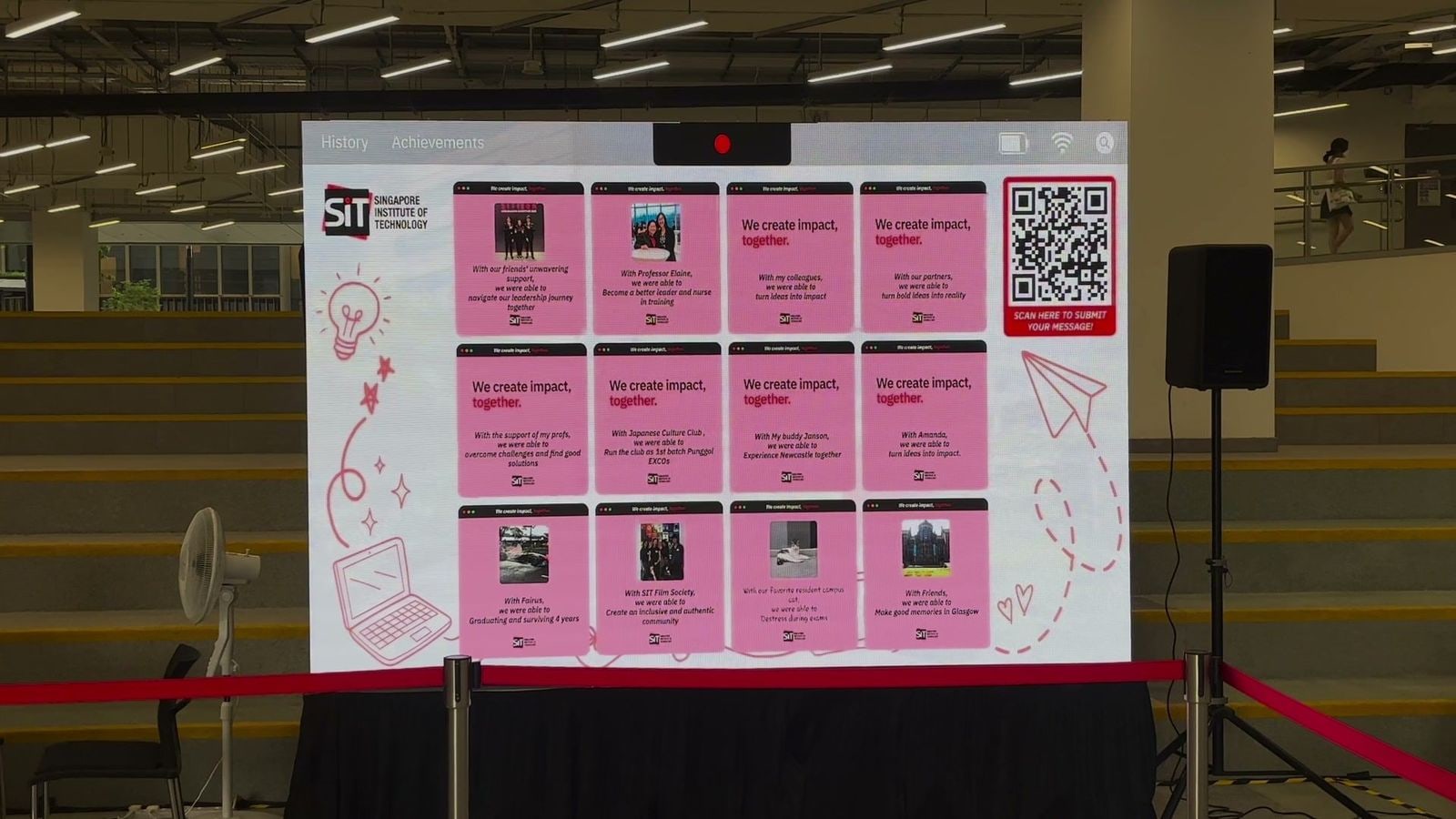
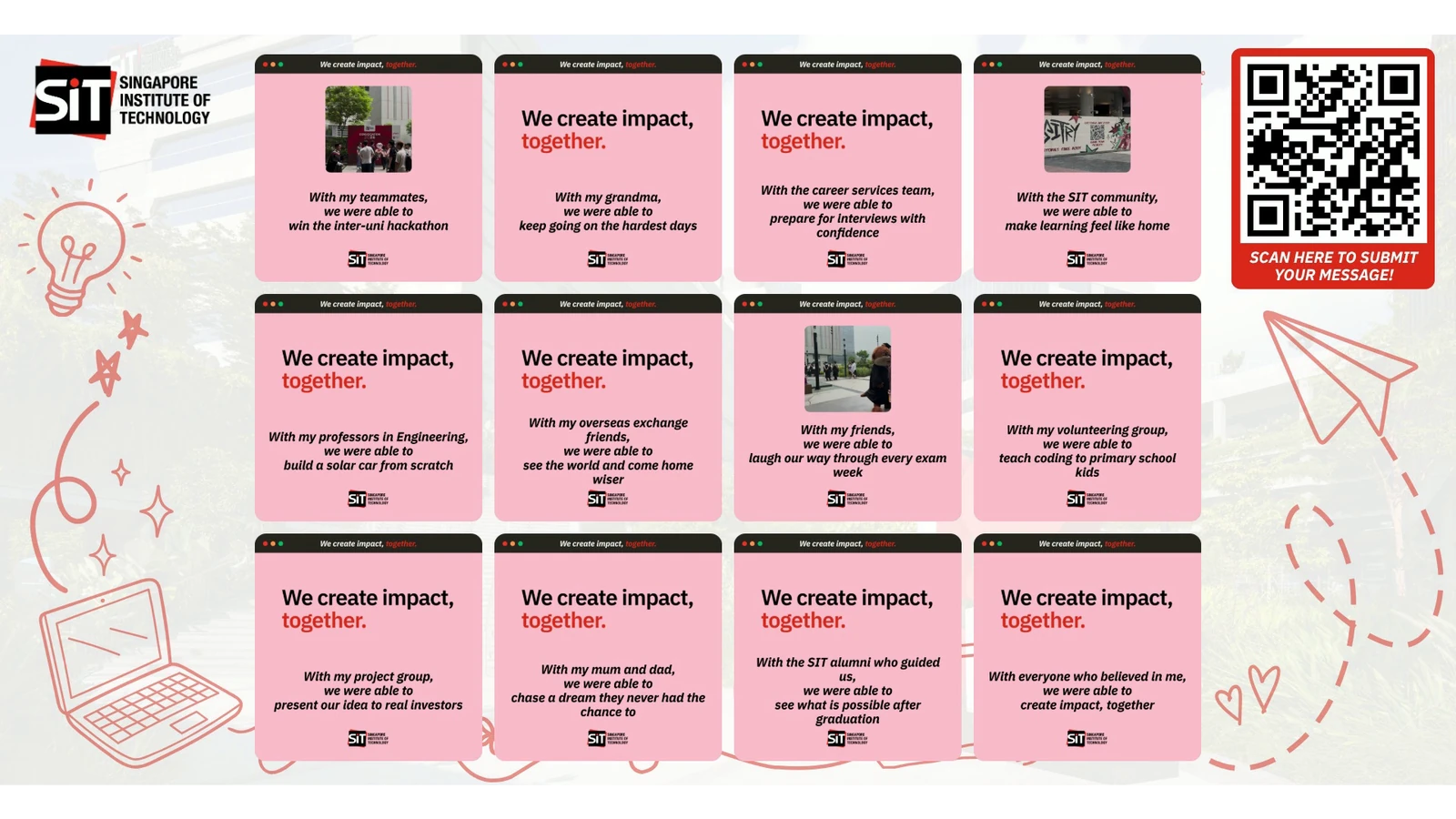
A live feedback wall, also called a live wall or a live message wall, puts the messages guests send from their phones up on a big screen at the event. At SIT, the wall ran on a big screen at the booth. Each message appeared as a pink card with SIT's "We create impact, together." line, the guest's sentence and their photo.
The agency set the wall to turn to the next page of messages every 30 seconds, so every approved message had its turn on the screen, not only the newest ones. The QR code stayed on the wall the whole time, so anyone watching could scan it and add their own.
Every Message Approved Before It Appeared
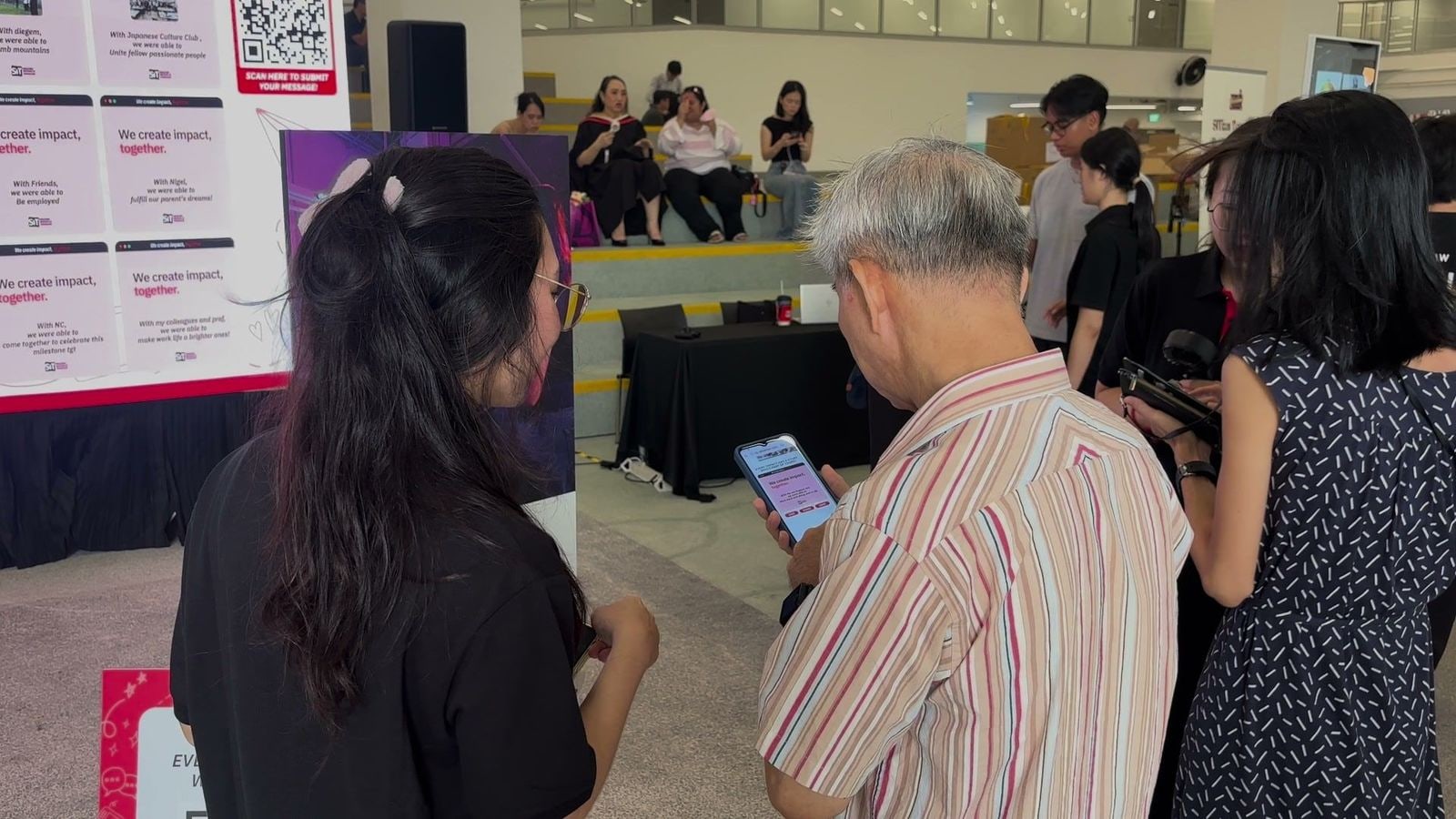
Because the wall stood in front of graduates, families and the university, every message waited for approval before it went up. The event team read each post, approved it, and it appeared on the wall straight away. A post that had already gone up could also be taken down again.
Reward Module: Message Card to Save and Share
Right after submitting, the thank you page showed the guest's own message card, laid out exactly as it would appear on the wall. Guests could save it to their phone or share it, and keep a reminder of the people who were part of their story.
The Result
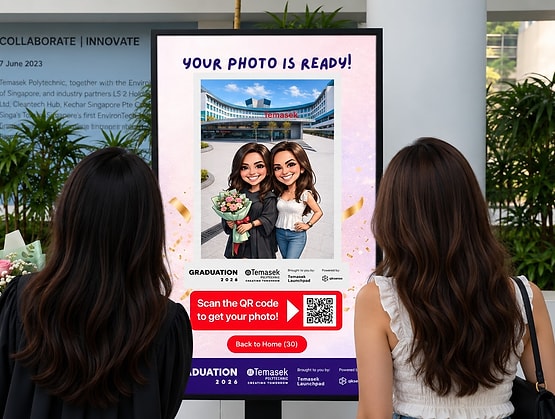
Using qiksense, the agency gave SIT a Convocation Week moment that graduates and their families could make their own. Instead of only watching the celebrations, they added their own words to them and saw those words on the big screen moments later. It sat alongside the other ceremony moments, much like the AI caricature photobooth Temasek Polytechnic ran for its Graduation Day.
A Personal Thank You on a Big Day
Graduation is about the people who helped along the way. The sentence gave every graduate a simple way to thank them, whether classmates, professors or family, and the photo put a face to each story. Families could stand at the booth and watch their message appear among everyone else's.
A Wall the Class of 2026 Built Together
The wall stayed live for all of Convocation Week and grew with every approved message, so each day's graduates added to a shared record of the class. Guests needed only a phone and a QR code to join in.
A Keepsake to Take Home
The message card did not stay at the booth. Guests could save it to their phone or share it with friends and family, so a few minutes at the wall became a reminder of their graduation day long after the ceremony.
Build and Launch Interactive Campaigns with qiksense
From an AI Photobooth to a Live Message Wall for graduation day, qiksense helps organisations turn a celebration into something every guest can take part in from their own phone. Build, launch and manage interactive campaigns through one flexible platform. Contact us or explore the qiksense Library to find the right experience for your next interactive campaign.